Minecraft Bedrock mods that handle storage rarely make headlines, yet they fix the problem every long survival world runs into: chests everywhere, nothing labeled and ten minutes lost hunting for one stack of andesite. Vanilla Bedrock gives you chests, barrels, shulker boxes, bundles and item frames, which is plenty for a small base. Once a world passes a few hundred hours, though, clutter becomes the main thing slowing you down. Storage and quality-of-life add-ons step in with backpacks, inventory tools, sorting containers and waypoints that get you home.
This guide explains the main storage concepts, names the verified picks we could confirm, and covers a storage room plan, item safety through updates, console limits and troubleshooting.
Storage Concepts in Bedrock Add-ons
Storage add-ons attack clutter from different angles. Knowing the angle you need stops you importing packs that add dependency without solving your real problem.
Backpacks
Backpacks give portable storage, often in tiers. On a long cave run they mean fewer trips home. Because the items live inside a pack-defined item, removing the pack can delete what is stored inside.
Inventory management
Inventory tools help you sort, move or tidy items faster than dragging stacks by hand. They are a gentle upgrade because they work alongside the containers you already use.
Sorting chests and storage networks
Sorting containers rearrange or merge their contents with one interaction. Networks link many containers to one terminal so you can search the whole base from a single screen. They are the biggest convenience jump and the biggest dependency on one pack staying compatible.
Labels and display packs
Some packs only change how containers look, for example showing contents on a chest face. Resource-pack-only options are the lowest-risk choice, since removing a resource pack never deletes items.
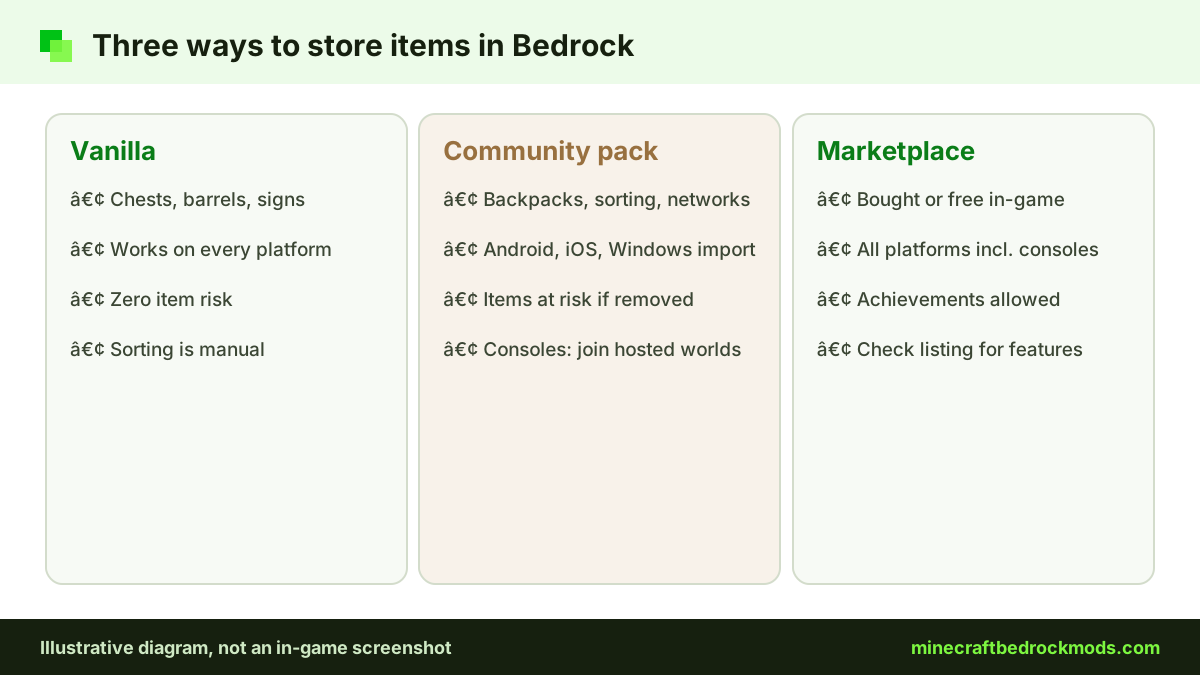
| Approach | Best for | Item risk if removed | Works on consoles |
|---|---|---|---|
| Vanilla chests, barrels, signs | Small bases, mixed groups | None | Yes |
| Vanilla hopper sorter | Redstone fans | None | Yes |
| Community backpack pack | Explorers and miners | High | No import; join a hosted world |
| Storage network pack | Large late-game bases | Highest | No import; join a hosted world |
| Marketplace storage add-on | Any platform | Depends on the pack | Yes |
| Resource-only label pack | Readable rooms | None | Community files: no |
Verified Storage and QoL Picks
We only name add-ons we checked on November 5, 2026. Where a fact was not confirmed, we leave it out.
Inventory Manager (Lite) and Herschel Backpack Trials Add-On
Both were listed as free add-ons in the Marketplace add-ons category when we checked. We have not verified their features in detail, so open each listing in-game and read its description before adding it to a world. As Marketplace content, both can be used on every Bedrock platform, consoles included.
Advanced Waypoints by Endermen76428
Waypoints are the other half of inventory QoL: they get you back to your storage hall. Advanced Waypoints lets you create waypoints so you can always find your way home. The creator's verified GitHub repository publishes release v8.1 (April 4, 2026) as a .mcaddon, in TP and no-TP builds. It is free, also listed on CurseForge, and we rate it light.
Waypoints Everywhere! by Hatchibombotar
Waypoints Everywhere! is a lightweight add-on that brings waypoints to Bedrock. Its verified GitHub release v1.0.0 (November 30, 2024) ships as waypoints.mcaddon, and the listing says it needs game version 1.21.40 or newer. It suits players who want a minimal waypoint system. Both waypoint packs are on our mods download tabs.

Planning a Storage Room That Stays Organized
Even the smartest add-on cannot rescue a room with no plan.
- Pick categories first: building blocks, ores, farming, mob drops, redstone, tools and miscellaneous.
- Put the input where you arrive: a dump chest near the entrance means you unload in seconds.
- Reserve growth space: building blocks always grow fastest.
- Keep crafting central: crafting tables and stonecutters within a few steps of the stock.
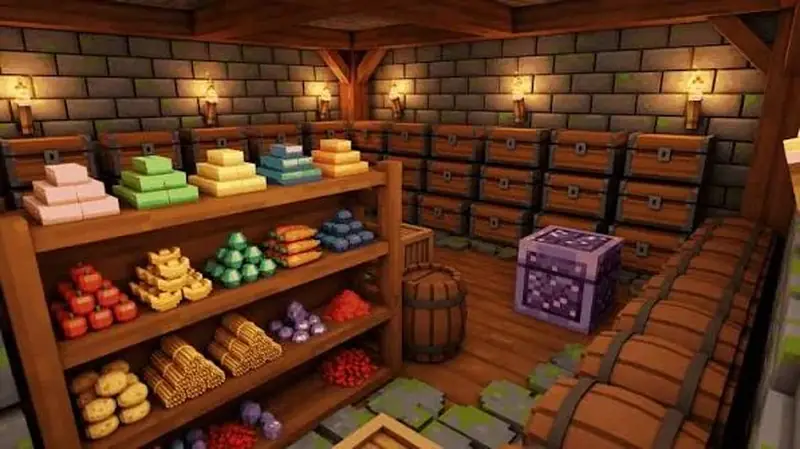
- Label everything with signs or item frames so friends can read the room.
- Light every floor block so the hall never spawns mobs.
If items arrive from a machine line, read our tech and automation add-ons guide for factory layouts that feed storage cleanly.
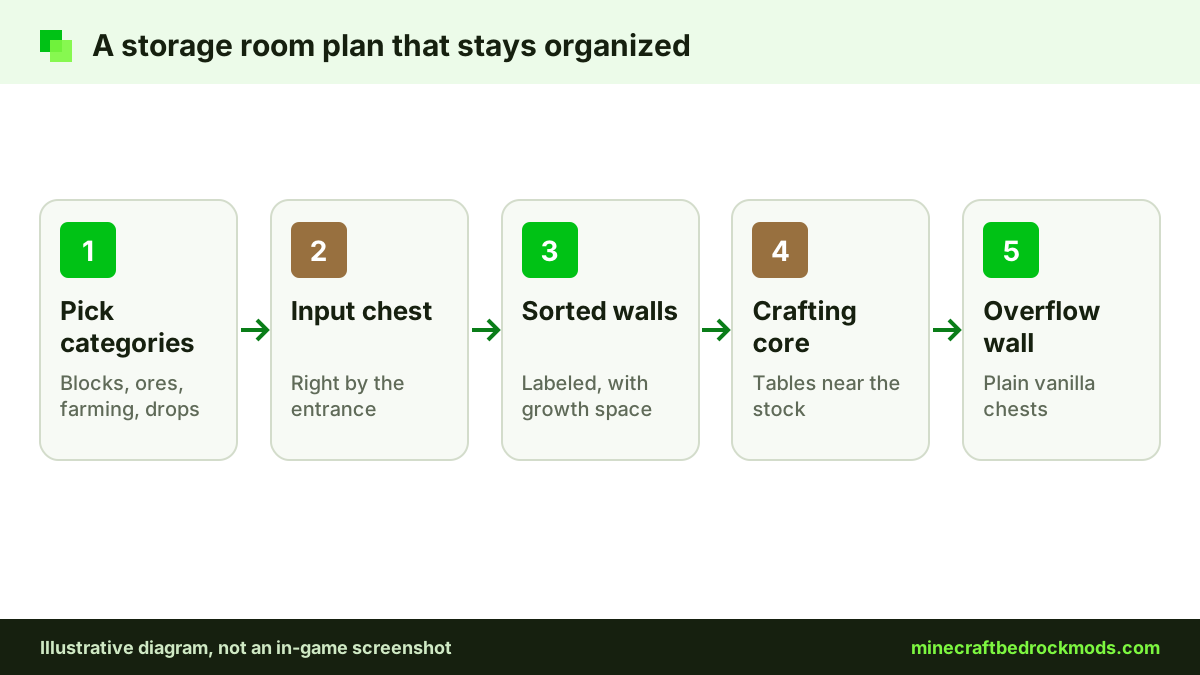
Pro tip: Keep one plain vanilla chest wall labeled "Overflow" even in a modded base. If an update breaks a pack, you have a safe place to empty backpacks and terminals straight away.
Vanilla Storage Tricks That Need No Add-on
Before importing anything, squeeze the most out of vanilla. Shulker boxes keep a chest's worth of items in one block and keep their contents when broken and carried, which makes them the safest "backpack" on any platform. Bundles hold a mix of small items in one slot. Item frames on chest faces show the contents at a glance, and colored signs or banners mark categories from across the room. A simple hopper sorter can route mined items into labeled chests if you are comfortable with redstone. All of these work on consoles, Realms and servers with no files and no item risk, so they are the fair choice for mixed groups.
Shared Storage in Multiplayer
Shared worlds turn storage into a social problem. Each player sorts differently, so agree on categories before anyone builds. Decide whether personal backpacks belong in the shared hall, and keep a book at the entrance listing the active packs and their versions. Everyone who joins needs compatible pack versions, and a console friend cannot import community files, so a vanilla or Marketplace setup keeps the room usable for the whole group.
Choosing Storage Add-ons by Base Size
Match the tool to the job. A new world with a small cottage needs nothing beyond labeled chests, a shulker box and maybe a waypoint for the way home. A mid-game base with farms and a trading hall benefits from an inventory tool and a label pack. A late-game megabase, where you craft in bulk and share storage, is where networks earn their place. The best Minecraft Bedrock mods for storage are the smallest set of packs that removes your daily friction, not the longest feature list.
Keeping Items Safe Through Updates
Storage packs hold your most valuable resources, so update discipline matters more here than in any other category.
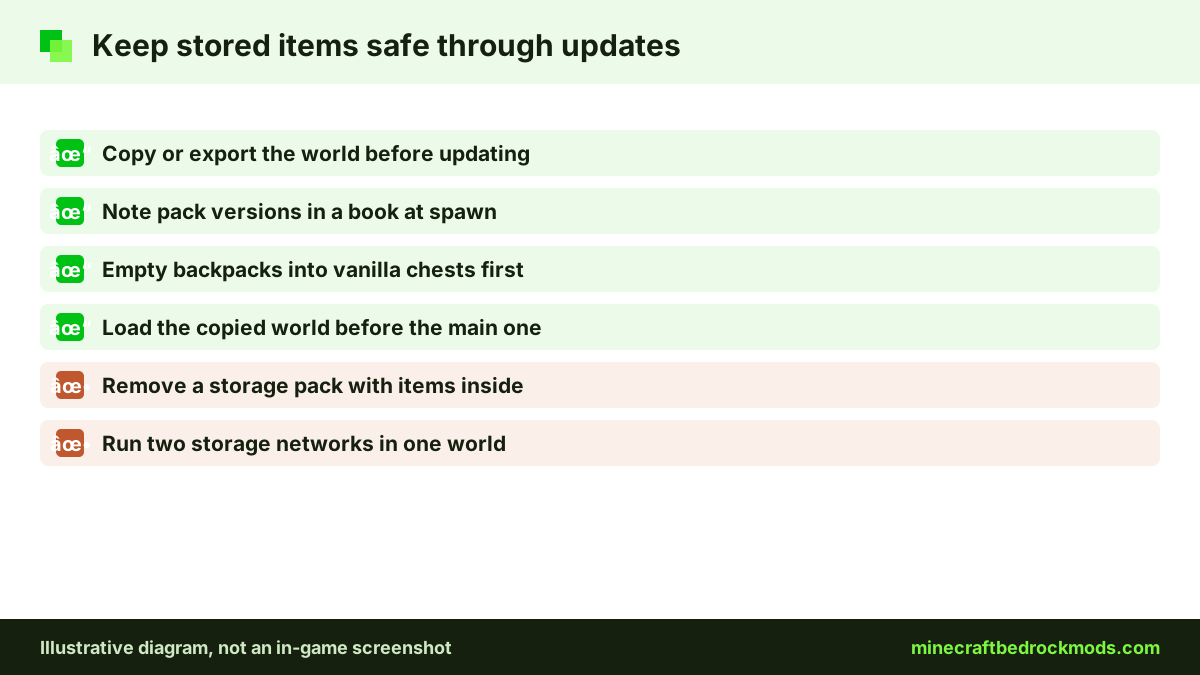
- Copy or export the world before every game or pack update, and load the copy first.
- Note the exact pack versions in a book at spawn.
- Before removing a storage pack, move everything from custom containers and backpacks into vanilla chests.
- Avoid running two storage networks in one world; they rarely work together.
- Prefer resource-only label packs where they meet your needs.
Our guide to updating, backing up and transferring worlds walks through .mcworld exports step by step.
Platform Notes: Android, iOS, Windows and Consoles
Android: open the downloaded .mcaddon from your files and Minecraft imports it. Large networks can lag on mid-range phones, so keep them compact.
iPhone and iPad: use the Files app and open the file in Minecraft. GitHub releases download as normal files, so the same route works for the waypoint packs.
Windows 10/11: double-click the file to import. Windows has the most headroom for big storage halls.
Xbox, PlayStation and Switch: consoles cannot import community files such as the waypoint .mcaddon releases. Console players use Marketplace add-ons, such as the two free storage listings above, or join a Realm, server or friend's world that already runs packs. See our console add-ons guide.
To switch packs on, follow the Help Center activation steps: edit the world, then activate the behavior and resource packs.

Achievements and Storage Add-ons
Older guides said every behavior pack switches achievements off. Minecraft.net now says achievements work with add-ons released through the Marketplace, on all platforms. Community packs from GitHub or CurseForge do not qualify, achievements are not awarded retroactively, and cheats still disable them. Read our achievements guide before you mix packs in an achievement world.
Version Note for Bedrock 26.60
This guide was written for Minecraft Bedrock 26.60, the latest stable release when we checked on November 5, 2026. The Waypoints Everywhere! release dates from 2024, so confirm it still behaves as expected in a copied world before relying on it.
Troubleshooting Storage Add-ons
- Purple and black containers: the resource pack is missing or does not match the behavior pack.
- Backpack items gone: the pack was removed or updated; restore your backup copy.
- Terminal lists items slowly: containers sit across many chunks; shrink or split the network.
- Waypoint menu missing: check that you imported the build you wanted (TP or no-TP) and activated it in the world.
- Two packs fight: the pack higher in the list wins; remove one and test again.
- Marketplace add-on not showing: make sure you are signed in with the account that owns it, then look for it under the world's Behavior Packs list.
- Duplicate entries: delete old pack versions from Settings > Storage so you do not activate the wrong one.
Safety Before Any Storage Download
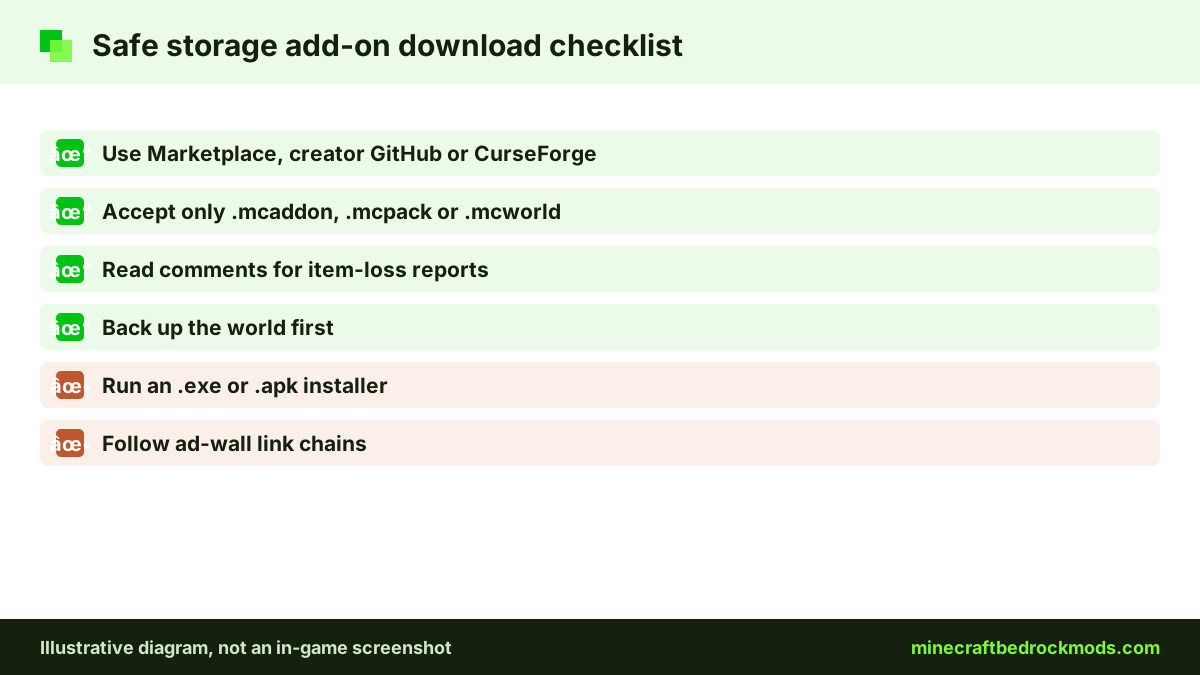
Use the Marketplace, the creator's official GitHub or page, or a reputable host such as CurseForge. Real add-ons are .mcaddon, .mcpack or .mcworld files; delete any .exe or .apk that claims to install them, and skip ad-wall link chains. Read recent comments for reports of item loss, which matter more than screenshots with storage packs.
Frequently Asked Questions
Very likely. Backpacks and custom containers are defined by the pack, so removing it can delete the items inside. Empty every backpack and custom chest into vanilla containers first, and test the removal on a copy of your world.
Yes. Inventory Manager (Lite) and Herschel Backpack Trials Add-On were both listed as free Marketplace add-ons when we checked on November 5, 2026. Read each listing in-game for its current features.
Use the creator's GitHub repository, Endermen76428/Advanced-Waypoints, where release v8.1 offers a .mcaddon in TP and no-TP builds, or its CurseForge page. Avoid re-uploads on unknown sites.
Consoles cannot import community .mcaddon files. Console players can use Marketplace add-ons, which work on every Bedrock platform, or join a Realm, server or friend's world that already runs the packs.
Marketplace add-ons allow achievements on all platforms, according to Minecraft.net. Community packs from GitHub, CurseForge or other sites do not qualify, and cheats still disable achievements.
Terminals that read many containers can lag, especially on phones or when containers sit across several chunks. Keep the network compact, split it into smaller category networks, and lower render distance in the storage room.
Conclusion
Storage add-ons will not give you new dimensions or bosses, but they may save more time than any other pack you install. Pick the lightest tool that solves your clutter: labels for readability, a backpack for exploring, Marketplace inventory tools for any platform, and waypoints such as Advanced Waypoints or Waypoints Everywhere! to find your way home.
Design the room before you fill it, keep a vanilla overflow wall and back up before every update. With those habits, removing or replacing a pack never means losing the diamonds you spent hours collecting.