Minecraft Bedrock mods built around machines and automation change survival more than almost any other category. Instead of hand-feeding furnaces and carrying crops to a chest, you design a small factory that processes, generates and stores resources while you explore. On Bedrock these projects arrive as add-ons, meaning behavior packs and resource packs, not the Java-style tech mods many players remember from modpacks. That difference shapes what is possible, how well a factory runs on a phone and how carefully you should plan the world before the first machine goes down.
This guide covers two verified tech add-ons, how add-on machines compare with vanilla redstone, performance and platform limits, a factory-world plan, the achievements rules and a troubleshooting routine.
What Tech and Automation Bedrock Add-ons Do
A tech add-on introduces blocks, items or entities whose job is to move, transform or generate resources without constant player input. Most fall into a few families:
- Processing machines that crush, smelt, press or combine items in one block.
- Generators and power networks that create energy and deliver it to machines through cables or nodes.
- Item and fluid transport, such as pipes or conveyors that pull items from one container and push them into another.
- Automated farms and spawners that produce resources on a timer.
Java tech mods are .jar files and never run on Bedrock. Bedrock machines are built from JSON definitions and the JavaScript-based Script API, which is why each pack has its own rules instead of one shared power system.
Verified Tech Add-ons Worth a Look
We only name add-ons we checked on their source pages on November 5, 2026. Both community picks below are free on CurseForge for Android, iOS and Windows. The performance ratings are editorial estimates based on what each pack adds, not benchmarks. See every detail on our mods download tabs.
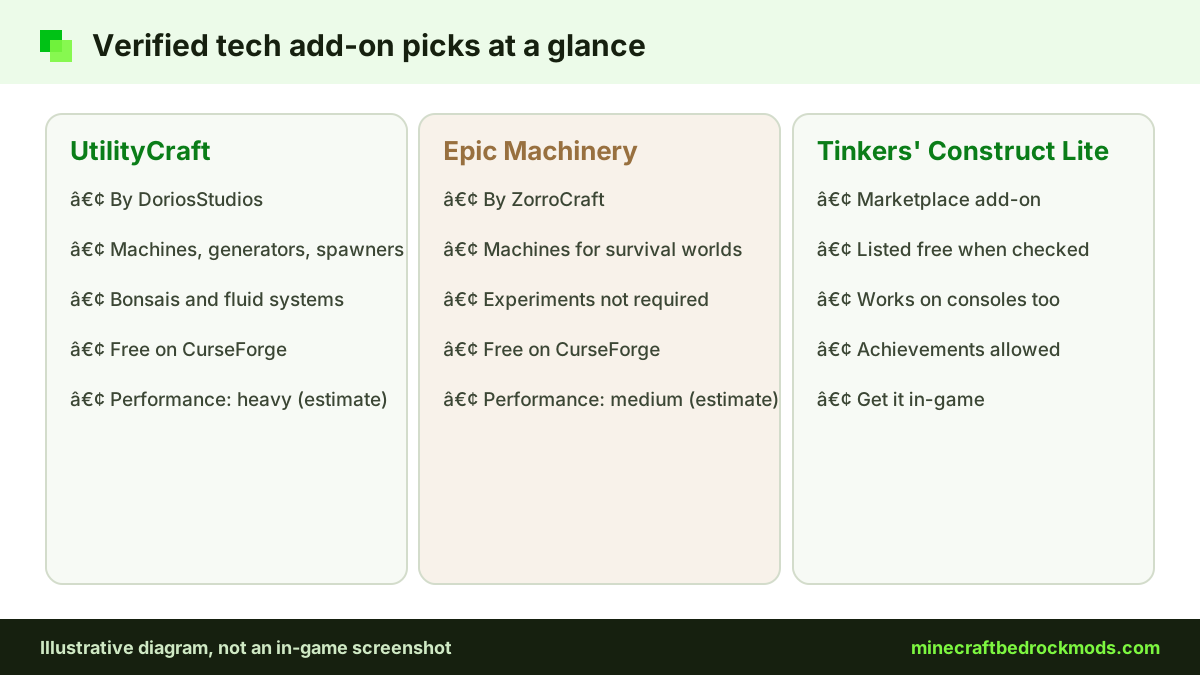
UtilityCraft by DoriosStudios
UtilityCraft is an automation pack with machines, generators, spawners, bonsais and fluid systems. It suits factory and resource builds. Its CurseForge page listed an update on November 2, 2026. We rate it heavy, so it fits best on Windows or a strong phone.
Epic Machinery by ZorroCraft
Epic Machinery is a tech and automation add-on with machines for survival worlds. The source page says experiments are not required, and its full name carries an "Achievement Friendly" label (see the achievements section for why that label needs caution). We rate it medium, a better match for lighter automation.
Tinkers' Construct Lite on the Marketplace
If a console player is in your group, look at the Marketplace instead. Tinkers' Construct is one of the Java mods ported to the official Marketplace, and Tinkers' Construct Lite was listed as a free add-on in the Marketplace add-ons category when checked. Marketplace content works on every Bedrock platform, including Xbox, PlayStation and Switch.
Redstone vs Add-on Machines
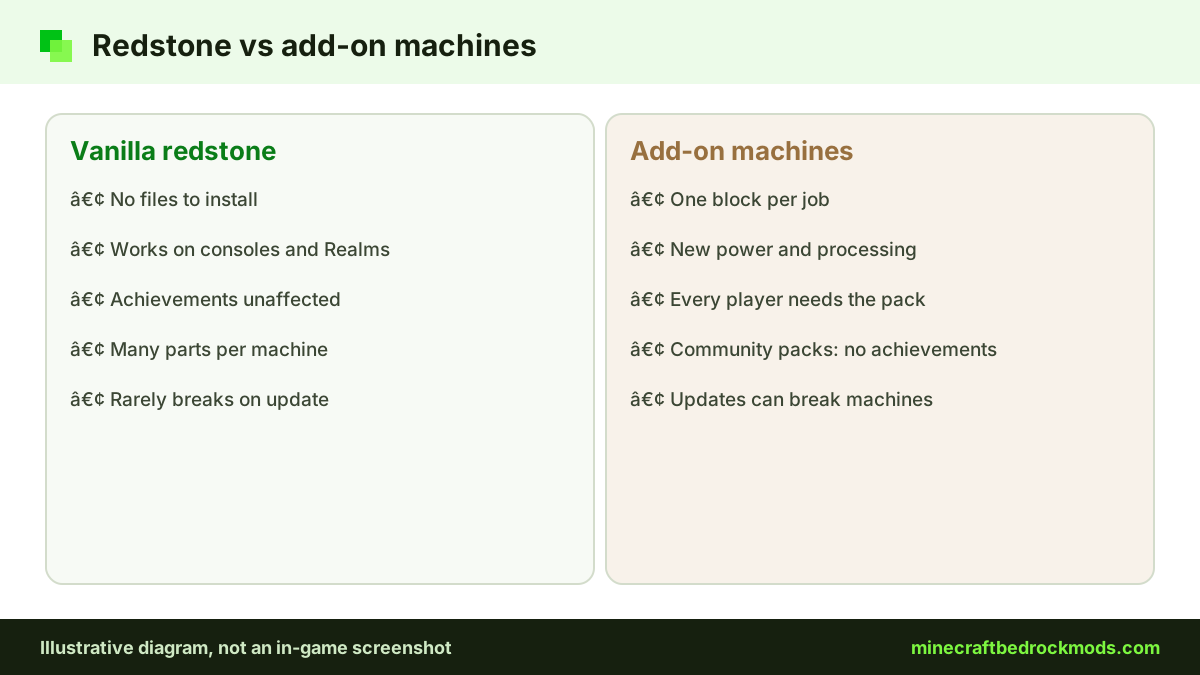
Vanilla redstone is a universal language. It works on Realms, servers and consoles with no files, but large machines take many components and can be fiddly to debug. Add-on machines do one job with a single block and add processing vanilla never had. The catch is portability and update risk.
| Factor | Vanilla redstone | Community tech add-on | Marketplace add-on |
|---|---|---|---|
| Setup | Nothing to install | Import, then activate packs | Buy or get free in-game, then activate |
| Consoles | Works everywhere | No import; join a hosted world only | Supported on all platforms |
| Achievements | Unaffected unless cheats are on | Non-Marketplace packs do not qualify | Allowed with Marketplace add-ons |
| Performance | Hopper and clock spam can lag | Often heavy in big factories | Varies by pack |
| Update risk | Low | Game updates can break machines | Check the listing after updates |
| Features | Vanilla blocks only | New power, processing, transport | Depends on the listing |
Many players mix both: redstone for doors, clocks and timing, add-on machines for repetitive processing.
Performance: Why Tech Packs Run Heavy
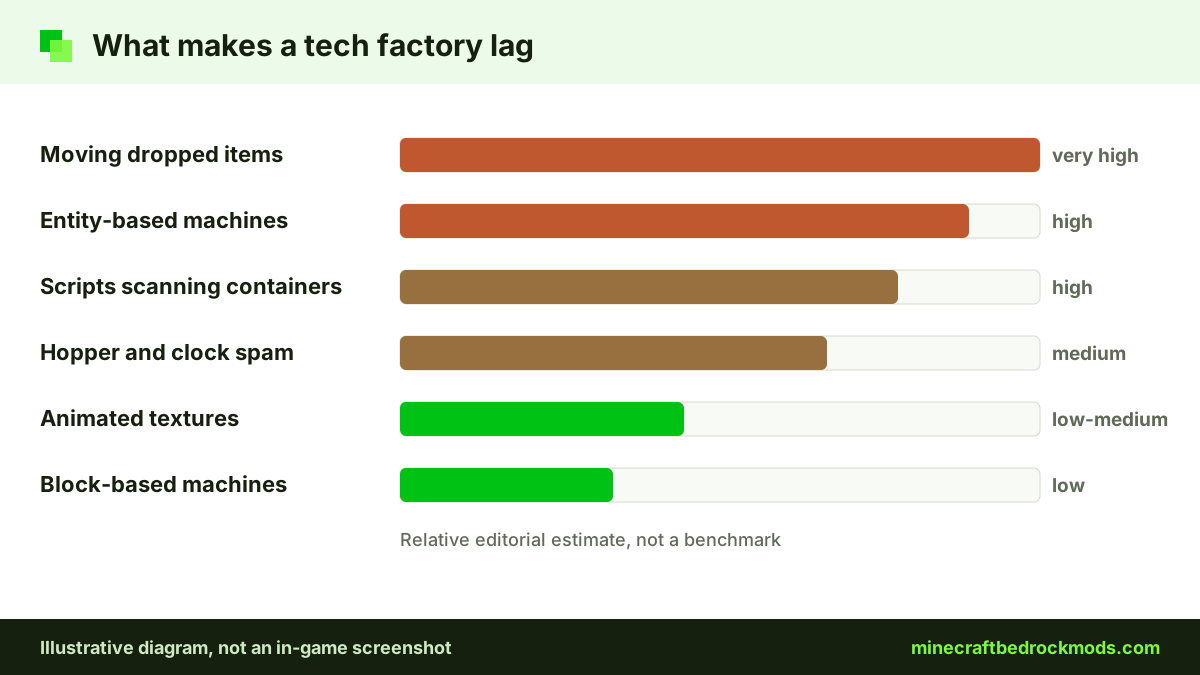
A base with a hundred machines is a hundred things the game must tick, render and sometimes animate. Entity-based machines, scripts that scan containers every tick and thousands of moving items cost the most. To keep frame rates stable:
- Build compact factories inside a few chunks.
- Lower render and simulation distance while working inside the factory.
- Keep item counts on belts and in pipes low.
- Pause machines and lines you are not using, if the pack allows it.
- Run one large tech pack, not several stacked together.
Our low-end device performance guide covers settings in more depth.
Platform Notes: Android, iOS, Windows and Consoles
Android: open the .mcaddon or .mcpack from your downloads and Minecraft imports it. Phones throttle when hot, so test big factories in short sessions.
iPhone and iPad: use the Files app and open the file in Minecraft. Older devices feel heavy packs first.
Windows 10/11: double-click the file to import. PCs have the most headroom, but a cross-play session only runs as smoothly as the weakest device.
Xbox, PlayStation and Switch: consoles cannot import community .mcaddon or .mcpack files. Console players use Marketplace add-ons, or join a Realm, server or friend's world that already runs packs. Our console add-ons guide explains both routes.
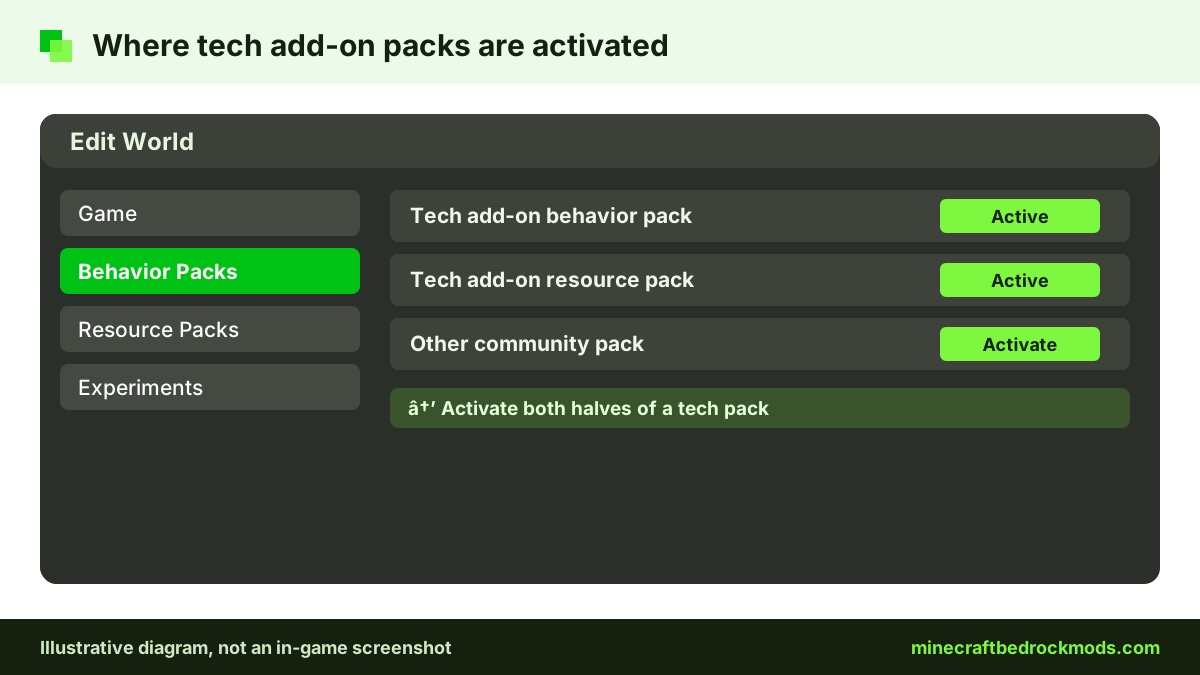
To activate a pack, follow the Help Center activation steps: edit the world, open Behavior Packs and Resource Packs, and activate both halves.
Planning a Factory World
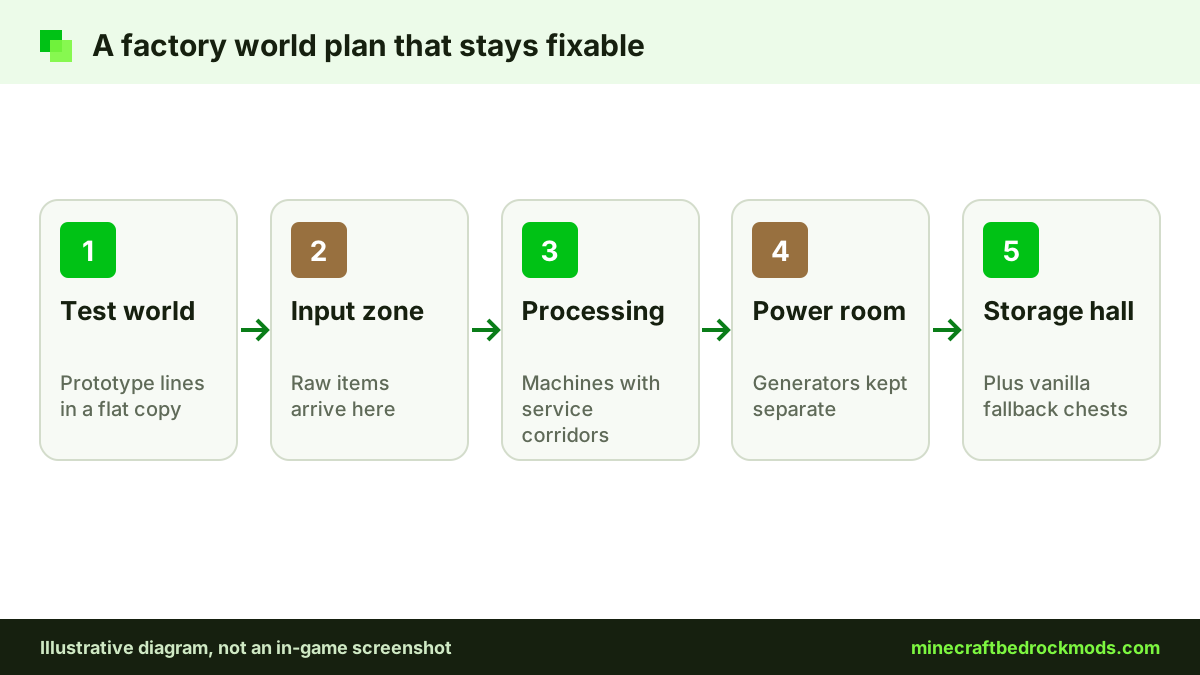
Factories grow. One machine becomes a smelting line, then a sorting hall, then a power plant. A plan saves hours of tearing blocks out.
- Zone the base: input, processing, storage and power, in that order.
- Leave service corridors: a one- or two-block gap behind machine rows for cables and pipes.
- Keep vanilla fallbacks: a small furnace array and a plain chest room keep the world playable if a pack breaks.
- Write down versions: note pack versions on a sign or in a book at spawn.
- Use a test world: prototype new lines in a flat copy with the same packs.
Finished items should land in a tidy storage hall. Our storage and inventory add-ons guide covers that side.
Combining Tech Packs and Sharing a Factory
It is tempting to stack two big machine packs. Sometimes that works; often two packs override the same vanilla file and only the one higher in the pack list takes effect. Add one pack at a time, test it in your bench world, then add the next. Unless both creators say their packs are designed to work together, assume their power systems are not interchangeable. One comprehensive tech pack plus a few small utilities is usually more stable than several large ones.
Shared factories are a great reason to play with friends, but everyone needs matching pack versions. Large add-ons can make the first join slow while packs download. Agree on zones and who maintains each line, and keep a sign or book at spawn listing the active packs, versions and any experiments. If the group plans to move the world to a Realm, confirm the packs work there before you commit weeks of building.
Achievements With Tech Add-ons
Old advice said any behavior pack disables achievements. That is no longer the whole story. Minecraft.net confirmed that achievements now work with add-ons on all platforms, but only with add-ons released through the Marketplace. Community packs from CurseForge or elsewhere do not qualify, achievements are not awarded retroactively, and cheats still disable them.
Labels need care too. Player reports on the official feedback site say that after 26.50 some community packs labelled "achievement friendly" were still marked Achievements Disabled. Those are community reports, not an official statement, so treat the label with caution. Our achievements guide has the full picture.
Version Note for Bedrock 26.60
This guide was written for Minecraft Bedrock 26.60, the latest stable release when we checked on November 5, 2026. Tech packs rely on newer engine features, so after a game update wait for the creator to confirm compatibility and copy your world before loading it.
Troubleshooting Tech Add-ons
- Purple and black blocks: the resource pack is missing or a different version from the behavior pack.
- Machines do nothing: check the creator's notes for required experiments or power sources.
- Two packs clash: packs higher in the list take priority; remove one and test again.
- Generator will not feed another pack's machine: power systems from different packs rarely connect.
- Lag spikes: clear dropped items, shrink the factory and lower render distance.
- Pack missing after import: confirm the file finished importing, then look under Behavior Packs on the Available tab, not only Active.
- Items vanished after removal: custom blocks and their contents can disappear, so empty machines into vanilla chests first.
Safety Before Any Tech Download
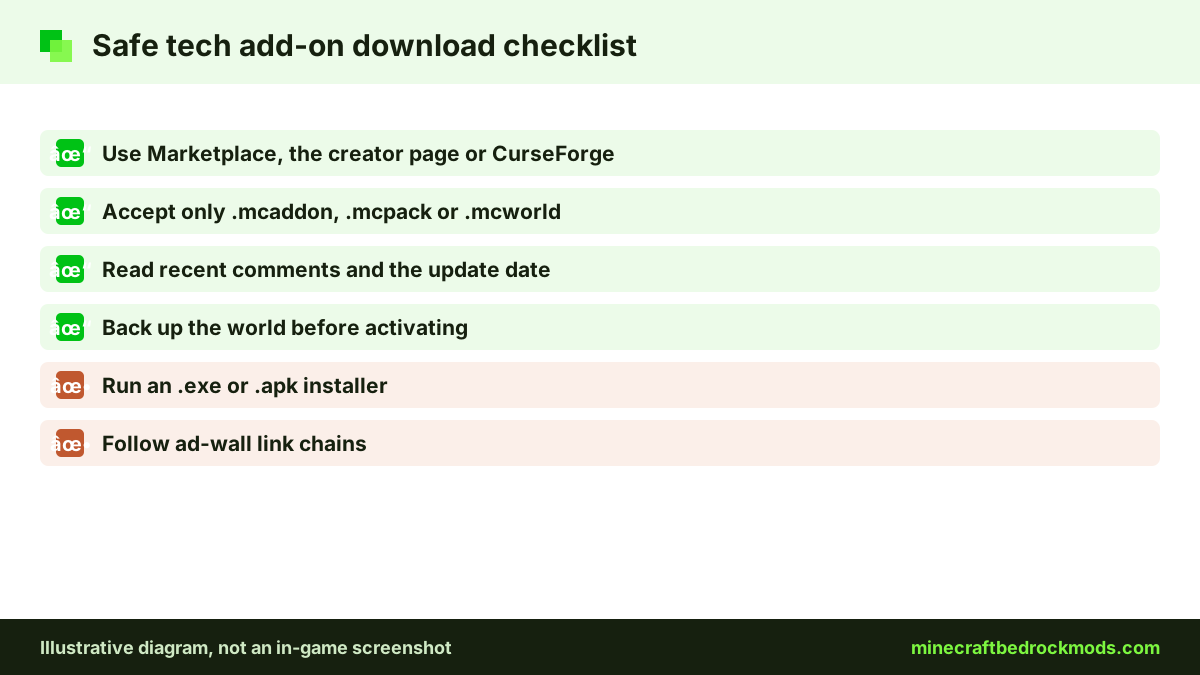
Download only from the Marketplace, the creator's official page or a reputable host such as CurseForge. Real add-ons are .mcaddon, .mcpack or .mcworld files; delete any .exe or .apk that claims to install machines. Skip ad-wall link chains, read recent comments and back up your world first.
Frequently Asked Questions
No. Java mods are .jar files built for Java Edition mod loaders, and Bedrock cannot load them. Bedrock automation comes from add-ons made of behavior packs and resource packs, so look for Bedrock-specific packs such as UtilityCraft or Epic Machinery.
It depends on where the add-on comes from. Minecraft.net says achievements work with add-ons released through the Marketplace, on all platforms. Community packs from CurseForge or other sites do not qualify, and cheats still disable achievements. Keep a separate world if achievements matter.
Its full name carries an Achievement Friendly label, and its source page says experiments are not required. However, only Marketplace add-ons officially allow achievements, and player reports after 26.50 say some labelled community packs were still marked Achievements Disabled. Treat the label with caution.
The behavior pack is active but its resource pack is not, or the two halves are different versions. Edit the world, open Resource Packs, and activate the matching resource pack from the same release.
Consoles cannot import community .mcaddon files, so you cannot install it there yourself. Console players can join a Realm, server or friend's world that already runs the pack, or use Marketplace add-ons such as Tinkers' Construct Lite instead.
Blocks and items defined by that pack can vanish or turn into placeholders, and anything stored inside custom machines may be lost. Empty machines into vanilla chests, copy the world, and test the removal on the copy first.
Conclusion
Tech and automation add-ons turn Bedrock survival into a building puzzle where the reward is a base that works for you. UtilityCraft suits big factory builds on strong devices, Epic Machinery fits lighter automation, and Marketplace options such as Tinkers' Construct Lite are the route for console players and achievement hunters.
Whichever you pick, the same habits protect the world: trusted sources, both pack halves active, a zoned layout with vanilla fallbacks, and a backup before every game or pack update. Start with one pack, master it, and expand only when the factory you have runs smoothly.