Texture packs are the easiest Minecraft Bedrock mods to try, because they change how the game looks without touching how it plays. This guide explains what "shaders" really mean on Bedrock, how Vibrant Visuals and RTX fit in, which verified packs are worth a look, and how to install them in the right order without crushing your frame rate on a phone.
Version note: everything below is written for Bedrock 26.60, the latest stable release when we checked on November 5, 2026, and covers Android, iPhone and iPad, Windows 10/11 and consoles. We have not tested these packs on our own devices yet; the facts come from each pack's source page and official Minecraft documentation.
Resource Packs vs Shaders on Bedrock
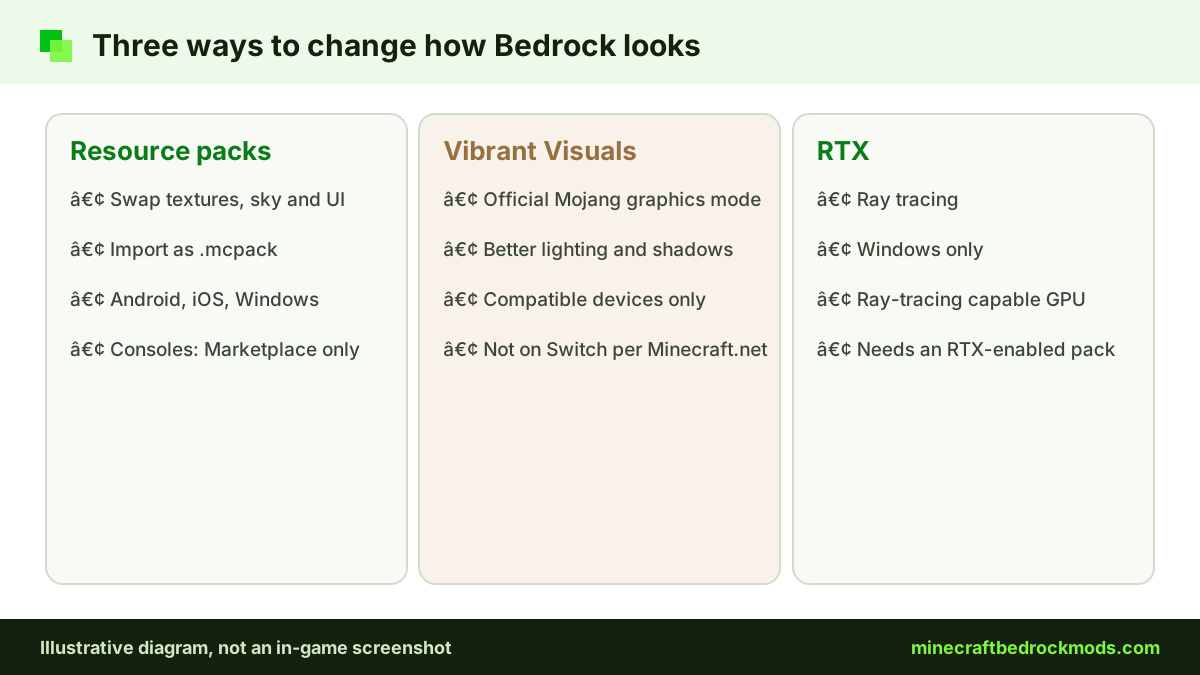
On Bedrock, every visual add-on is a resource pack. It can swap block and item textures, change the sky, restyle menus or add sounds. It usually arrives as a .mcpack file, or inside a .mcaddon bundle.
"Shaders" is where Java habits cause confusion. Java players install shader loaders that inject custom lighting code. Bedrock has no Java-style shader loader, so a download promising "Java shaders for Bedrock" deserves suspicion. On Bedrock, better lighting comes from two official routes:
- Vibrant Visuals, Mojang's own graphics refresh with improved lighting and shadow effects, available on compatible devices.
- RTX ray tracing, a separate Windows-only mode that needs a ray-tracing capable graphics card and an RTX-enabled pack or world.
Resource packs can add support for either mode. A pack built for Vibrant Visuals declares a "pbr" capability in its manifest, as explained in the Microsoft Learn guide to Vibrant Visuals resource packs.
Vibrant Visuals: Platforms and Device Requirements
According to the official Vibrant Visuals page on Minecraft.net, the feature runs on compatible devices in these groups:
- Windows: a PC running Minecraft on DX12.
- Xbox: Xbox Series X|S and Xbox One.
- PlayStation: PlayStation 4 and PlayStation 5.
- Android: Adreno 640, Mali-G68, Mali-G77 or Xclipse 530 graphics, or higher.
- iOS / iPadOS: an A12 or M1 chip, or higher.
Nintendo Switch is not on that list. On compatible devices Vibrant Visuals becomes the default graphics mode, while on some devices, such as Xbox One, PS4 and some Android phones, you select it yourself in the graphics settings. Mojang has said a Java version is planned for later.
Turning Vibrant Visuals on or off
Look for the graphics mode option in the Video section of Settings. If your device can run it but the game feels hot or choppy, switching back to the standard mode is the quickest performance win available. Texture packs still work in either mode; only packs with Vibrant Visuals support gain the extra lighting detail. Menu wording can move between updates, so if you cannot find the option, check the official Minecraft Help Center for your platform.
RTX Ray Tracing on Windows
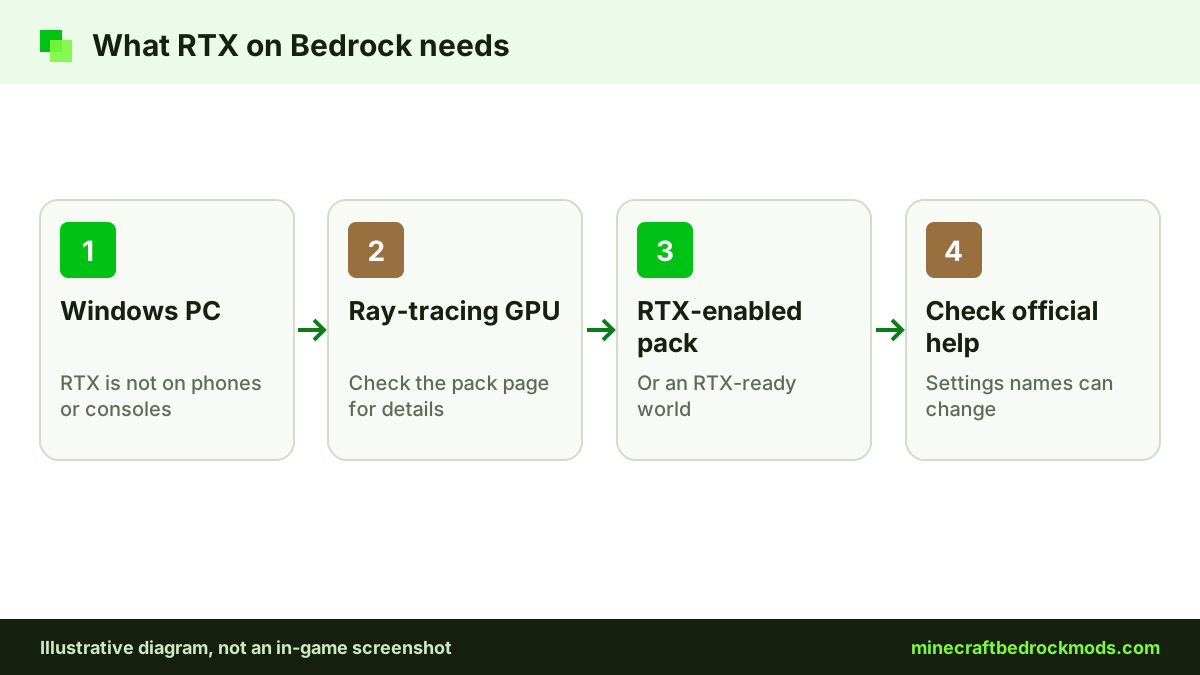
RTX is the heavier option. It works only on Windows, only with a ray-tracing capable GPU, and only when you load an RTX-enabled resource pack or world. Phones, tablets and consoles cannot use it. Exact hardware requirements and setting names change over time, so check the pack page and the official Minecraft Help Center before buying hardware for it.
Verified Bedrock Texture Packs Compared
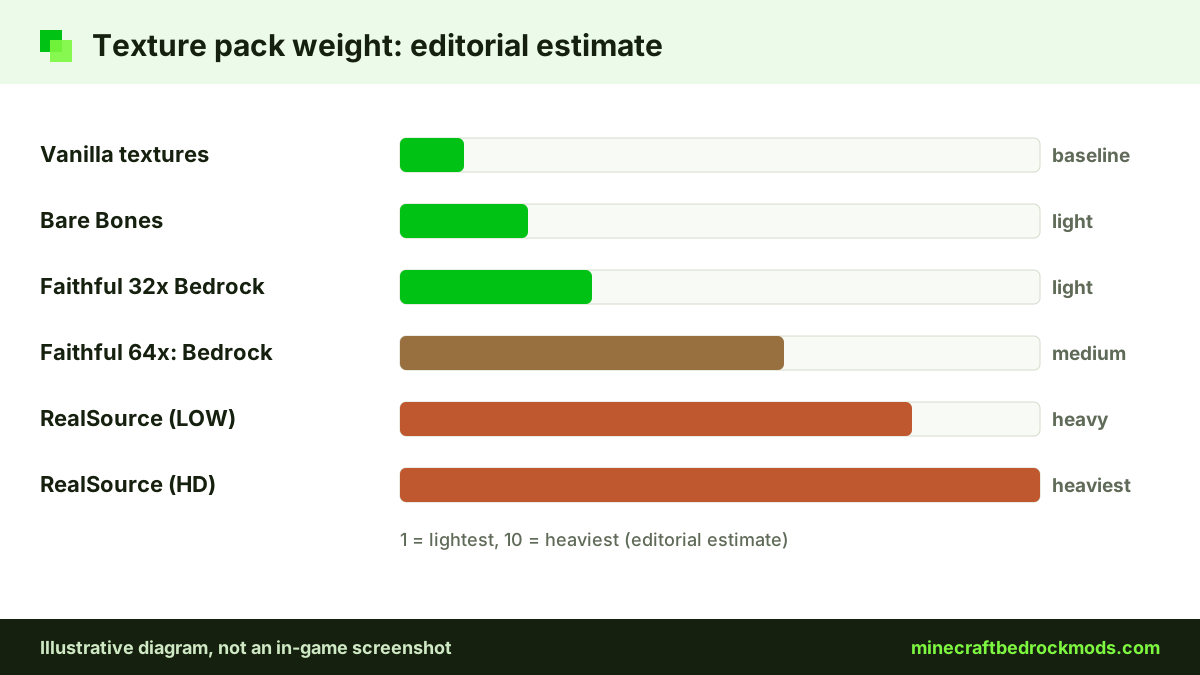
We only list packs whose official source pages we checked on November 5, 2026. Performance is our editorial estimate based on resolution and features, not a benchmark.
| Pack | Creator | Style | Resolution / weight | Vibrant Visuals / RTX | Platforms | Source |
|---|---|---|---|---|---|---|
| Faithful 32x Bedrock | Faithful Resource Pack team | Vanilla look, sharper | 32x, light | Not stated on source | Android, iOS, Windows | faithfulpack.net |
| Faithful 64x: Bedrock | Faithful Resource Pack team | Vanilla look, detailed | 64x, medium | Not stated on source | Android, iOS, Windows | CurseForge |
| Bare Bones Texture Pack | robotpants | Simple, trailer style | Light | Not stated on source | Android, iOS, Windows | CurseForge |
| RealSource REALISTIC pack | RealSource | Realistic | LOW and HD versions, heavy | Supports both | Android, iOS, Windows (RTX: Windows only) | CurseForge |
Faithful 32x and Faithful 64x
Faithful keeps the familiar vanilla design but redraws it at higher resolution. Faithful 32x Bedrock doubles the resolution and is the lighter choice for phones; its September 2026 hotfix targets 26.x and is also published as a .mcpack on the team's official GitHub repository. Faithful 64x: Bedrock quadruples the resolution for a sharper look on PC. Its GitHub releases are old, so use the CurseForge page for the current build.
Bare Bones and RealSource
Bare Bones Texture Pack by robotpants uses simple, colorful textures in the style of the official trailers. It suits low-end devices and players who want clean visuals. Its page lists 1.21.90, so expect occasional gaps after newer updates. RealSource REALISTIC pack sits at the other end: realistic textures with RTX and Vibrant Visuals support, offered in LOW and HD versions. Start with LOW unless you have a strong PC.
Which pack should you choose?
Pick by goal rather than by screenshots. If you want the game to look like Minecraft, only cleaner, Faithful is the safe answer: 32x on phones, 64x on a capable PC. If you want a softer, cartoon-like style that also runs well on older hardware, try Bare Bones. If you want dramatic screenshots with reflections and realistic surfaces, RealSource is the only verified pack in our list built for both Vibrant Visuals and RTX. Families sharing one tablet usually do best with a light pack, because it leaves headroom for behavior add-ons. You can compare these with other categories in our best Bedrock mods list, and every pack above also appears in the Texture & Shaders tab of our mods download page.
How to Install Texture Packs and Set Pack Order
Open the downloaded .mcpack on Windows or Android, or tap it in the Files app on iPhone and iPad and open it in Minecraft. Wait for the import message. Then choose where the pack applies:
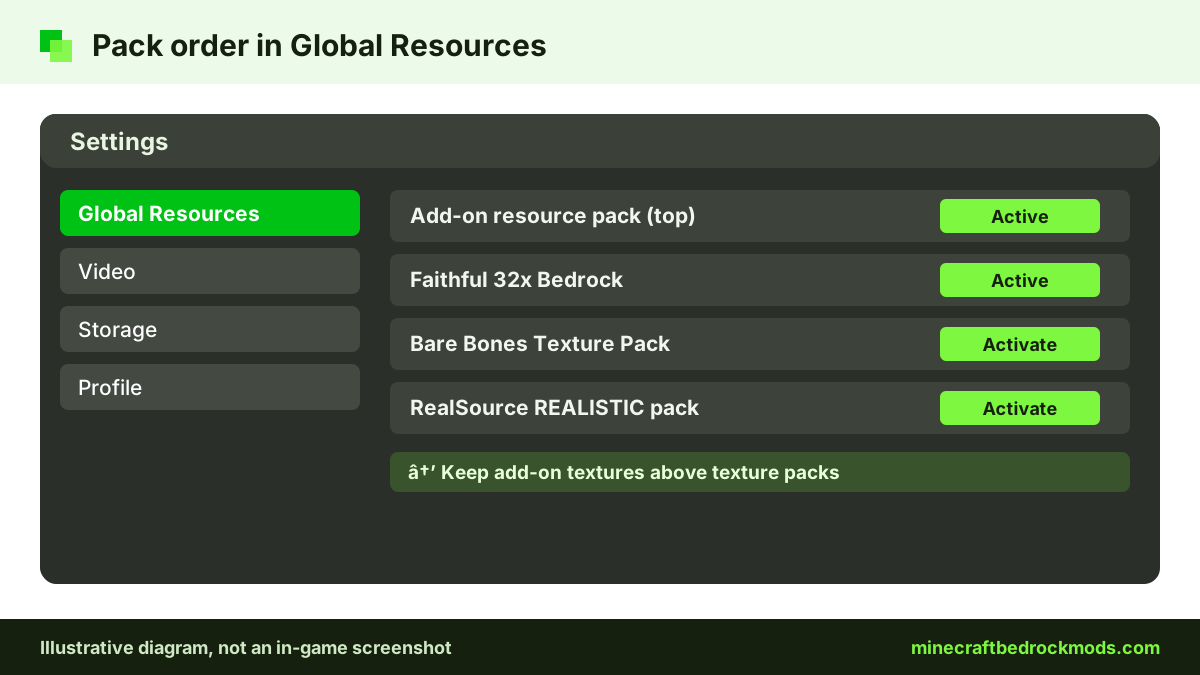
- Every world: go to Settings, then Global Resources, and activate the pack.
- One world: select the pencil icon next to the world, open Resource Packs and activate it, as described in the Help Center guide to activating add-ons.
Order matters when packs overlap. Packs higher in the active list generally override the ones below them, so place a texture pack below any add-on resource pack that must show its own textures. If a mob from an add-on looks wrong, move that add-on's resource pack up. Our step-by-step download and install guide covers every file type in more detail.
Performance by Device
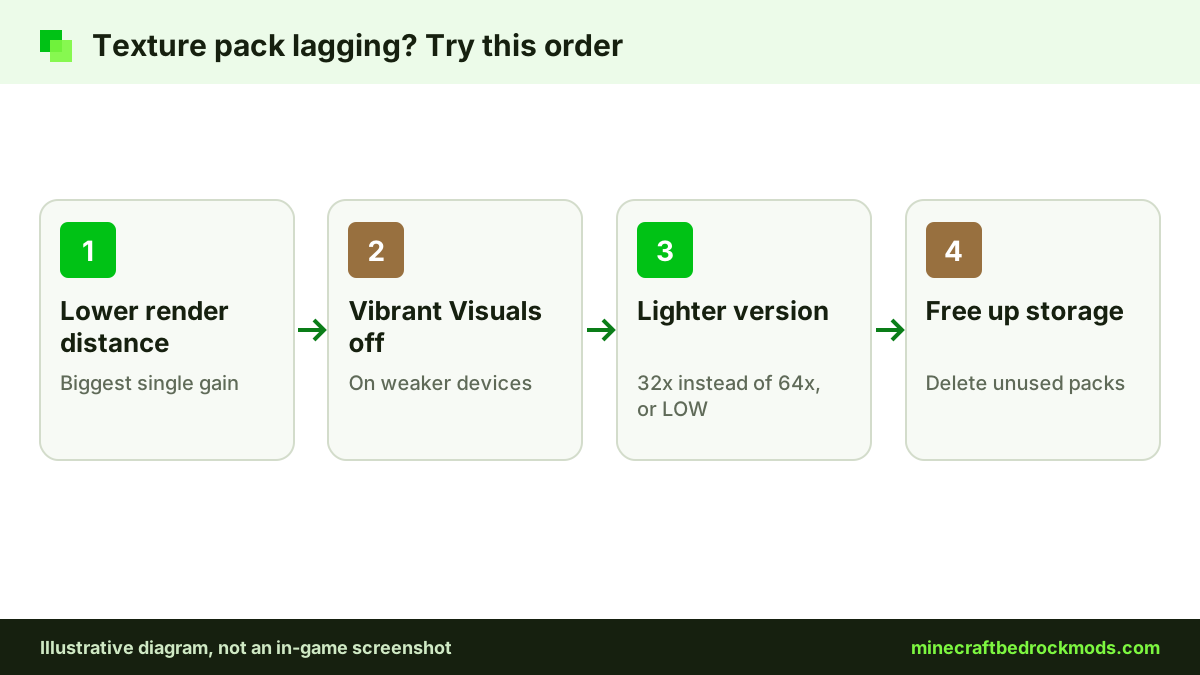
Resolution is the biggest cost. A 64x pack needs far more memory than a 32x pack, and realistic packs add even more. As a rough guide:
- Budget phones and older tablets: Bare Bones or Faithful 32x, with Vibrant Visuals off.
- Mid-range phones and recent iPads: Faithful 32x, and try Vibrant Visuals if your chip is on the official list.
- Gaming PCs: Faithful 64x or RealSource, with Vibrant Visuals or RTX.
If your game stutters, lower render distance before removing the pack. Our low-end performance guide lists the settings that matter most.
Platform Notes
Android and iOS: import works by opening the file. Storage fills quickly with HD packs, so delete old ones under Settings, then Storage. Our mobile add-ons guide covers file handling on phones.
Windows: the most flexible platform, and the only one with RTX.
Xbox, PlayStation and Switch: consoles cannot import community .mcpack files. Use texture packs from the Marketplace, or join a Realm, server or friend's world that already runs a resource pack, which downloads when you join.
Achievements and Texture Packs
The official rule from Minecraft.net (July 2025) is that achievements work with add-ons only when those add-ons come from the Marketplace. Community mods do not qualify. Resource-only packs have historically not affected achievements, but player reports after 26.50 describe worlds with external behavior packs being marked "Achievements Disabled", so treat any label with caution. Before a long survival run, check the world's achievement notice after activating a pack. Our achievements guide explains the details.
Troubleshooting Texture Packs
- Pack imported but nothing changed: it is not activated, or another pack above it overrides the same textures.
- Purple-and-black or missing textures: the pack targets an older version; check for an update.
- "Import failed": the file is not a real
.mcpack, or the download broke. Download again from the source. - Vibrant Visuals option missing: your device may not be on the official list.
- Crashes after an HD pack: switch to a lower-resolution version or free up storage.
- Add-on mobs look vanilla or broken: move the add-on's resource pack above the texture pack in the active list.
- Friends on consoles see default textures: the pack must be applied to the world or Realm itself, not just to your Global Resources.
- Pack vanished after an update: re-import it, then confirm it is still active in Global Resources.
Safety Tips for Shader Downloads
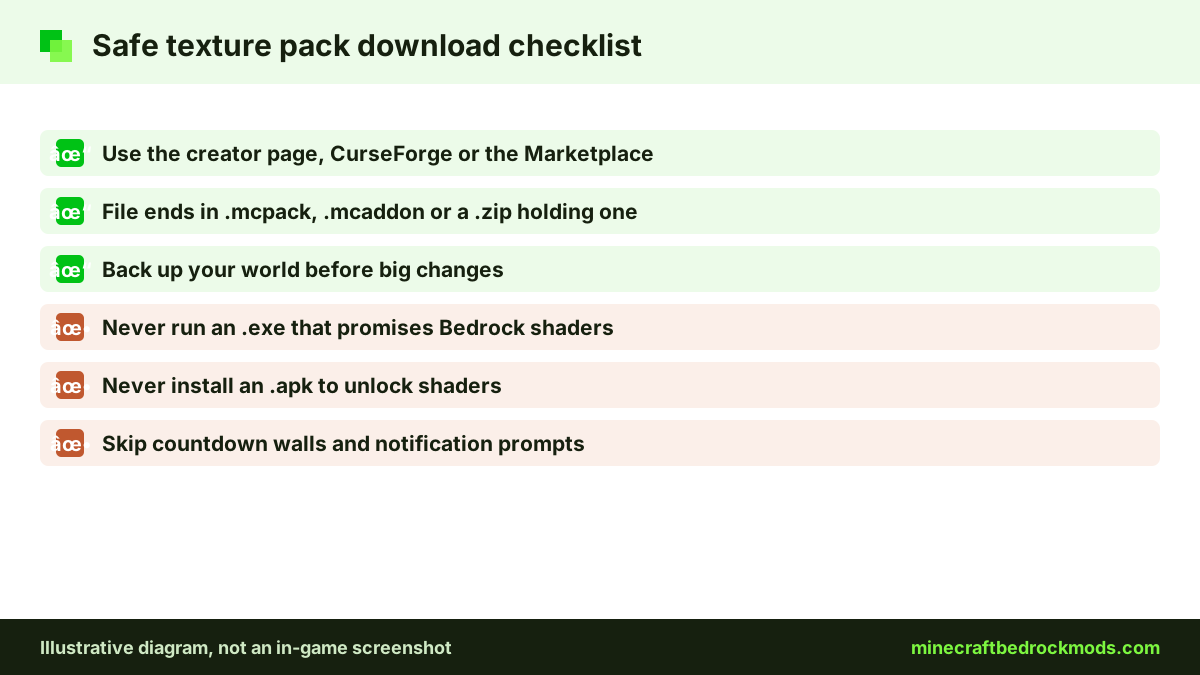
"Free shaders for Bedrock" is a favorite search for fake download sites. A real texture pack is a .mcpack, .mcaddon or a .zip containing one. Never run an .exe or install an .apk that claims to add shaders. Download from the creator's official page, CurseForge or the Marketplace, and skip pages that push you through countdown walls. Parents can make this easier by agreeing on two or three approved sources and checking the file name before it is opened. A texture pack never needs your account password, payment details or permission to show notifications.
Frequently Asked Questions
No. Bedrock has no Java-style shader loader. Better lighting on Bedrock comes from Vibrant Visuals on compatible devices or RTX on supported Windows PCs, plus resource packs built to support them.
Per Minecraft.net, Android needs Adreno 640, Mali-G68, Mali-G77 or Xclipse 530 graphics or higher, and iPhone or iPad needs an A12 or M1 chip or higher. If the option is missing, your device is probably not supported.
No. RTX ray tracing on Bedrock is Windows-only and needs a ray-tracing capable GPU plus an RTX-enabled pack or world.
Bare Bones Texture Pack and Faithful 32x Bedrock are the lightest verified options in our list, by our editorial estimate. Keep Vibrant Visuals off and render distance low.
Officially, only Marketplace add-ons keep achievements. Resource-only packs have historically not affected them, but check the achievement notice on the world after activating any community pack.
Consoles cannot import community .mcpack files. Use Marketplace texture packs instead, or join a Realm or server that already runs a resource pack.
Conclusion
On Bedrock, "shaders" really means Vibrant Visuals on a compatible device or RTX on a capable Windows PC, plus resource packs that support them. For most players, a verified texture pack such as Faithful 32x or Bare Bones gives the biggest visual change for the smallest performance cost.
Match the pack to your device, keep add-on textures above texture packs, and download only from official pages. Start light, then step up to 64x or realistic packs once you know your device can handle them.