Minecraft Bedrock mods and achievements have an awkward relationship. Since July 2025, you can earn achievements in a world that has add-ons, but only when those add-ons come from the official Minecraft Marketplace. Community packs from CurseForge, MCPEDL or ModBay follow different rules, and player reports after the 26.50 update suggest the line is stricter than many creators expected. This guide explains what the official announcement says, what players are reporting, how to check a world before you sink hours into it, and a simple two-world plan that protects your achievements while you still enjoy Bedrock add-ons.
What the Official Announcement Says
On July 15, 2025, Minecraft.net published Achievements now work with add-ons. The key points are short and worth reading carefully:
- Achievements can be earned in Bedrock worlds that have add-ons installed.
- This works on all platforms, from phones and Windows to consoles.
- There is no limit on how many add-ons a world can use.
- Only add-ons released through Minecraft Marketplace qualify. Mods that do not come from the Marketplace do not.
- Achievements are not awarded retroactively, so do not expect past progress to unlock later.
One older rule still applies on top of all this: turning on cheats disables achievements in that world, whatever packs it uses. That includes using cheats just once to set the time of day or test a build.
Community Packs and the 26.50 Player Reports
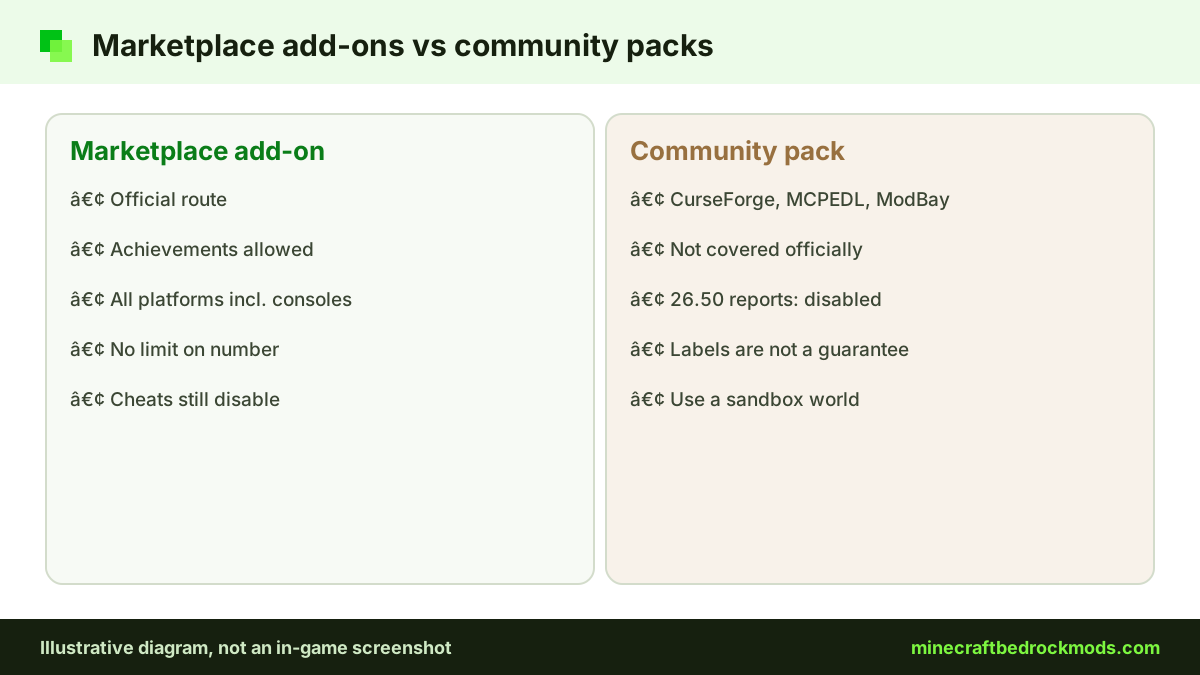
The official article draws the line at Marketplace content. Community behavior packs, the .mcpack and .mcaddon files many players import from CurseForge or MCPEDL, are not covered by it. Some creators still label their projects as achievement friendly. In our verified mod list, Biomes O' Discovery and Epic Machinery, both by ZorroCraft, carry "[Achievement Friendly]" in their CurseForge titles, and Chaotic World 2.0 by YTAUN is titled "(Achievements Friendly)".
Those tags are creator labels, not a promise from Mojang. After the 26.50 update, players posted on the official feedback site that worlds using external behavior packs were marked "Achievements Disabled", including some packs labelled achievement friendly. You can read the player feedback thread asking Mojang to revert the change. These are community reports, not an official statement, but they line up with the July 2025 article: only Marketplace add-ons are guaranteed to qualify.
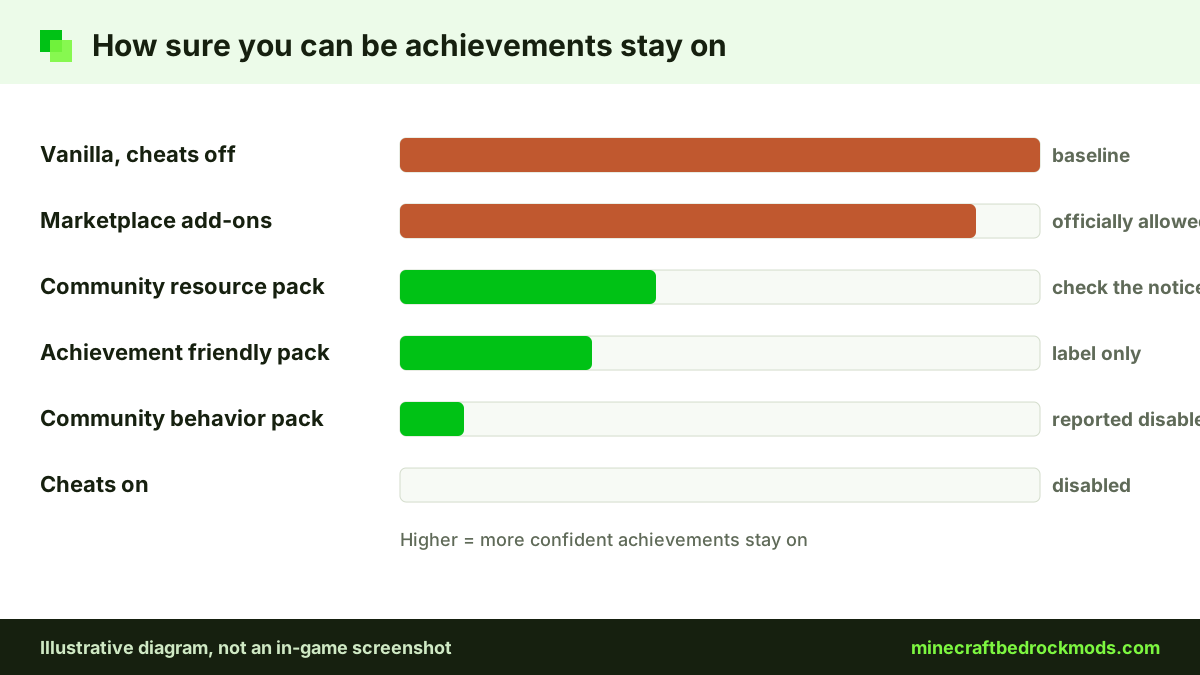
Treat an "achievement friendly" tag on a community pack as a hint about how the pack was built, not a guarantee. Check the world itself before you rely on it.
Bedrock Add-ons vs Achievements at a Glance
This table sums up each kind of content and what it means for achievements, based on the official article and the player reports above.
| Content type | Verified examples | Achievements | What to do |
|---|---|---|---|
| Marketplace add-on | Another Furniture Add-On, Naturalist Add-On | Allowed on all platforms, per the official article | Safe for your main achievement world |
| Community behavior pack | UtilityCraft, RPG++ | Not covered; players report "Achievements Disabled" after 26.50 | Keep it in a sandbox world |
| "Achievement friendly" community pack | Biomes O' Discovery, Epic Machinery, Chaotic World 2.0 | Creator label only; some labelled packs were reportedly flagged | Test in a copy of the world first |
| Community resource pack | Faithful 32x Bedrock, Bare Bones Texture Pack | Not guaranteed; the official article only covers Marketplace content | Activate, then check the world notice |
| Cheats on | Any world | Disabled | Never enable cheats in your achievement world |
The Two-World Plan for Minecraft Bedrock Add-ons
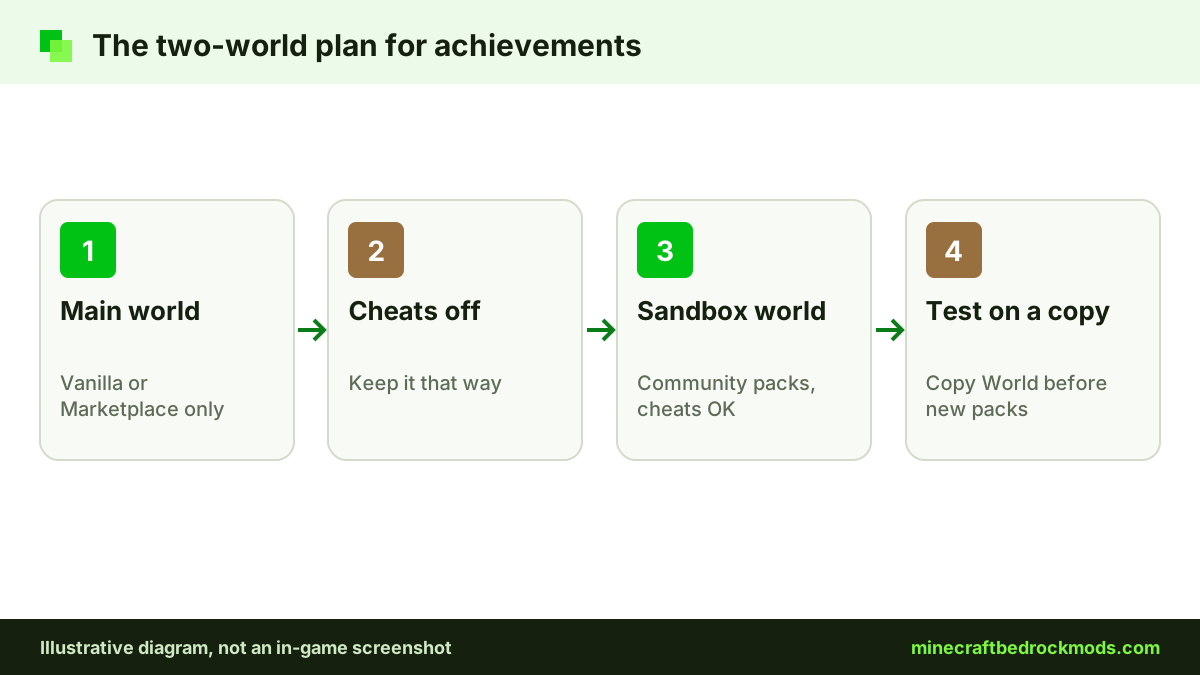
The simplest way to protect achievements is to give each world one job.
World one: vanilla or Marketplace-only
Use this world for the survival progress you want to count. Add only Marketplace add-ons, such as the free Another Furniture Add-On by Starfish Studios, the free Spark Pets Add-On (Lite) by Spark Universe, or a paid pick like Naturalist Add-On. Leave cheats off. Do not import community packs into it, not even "just to try one".
World two: modded sandbox
Use this world for everything else: community behavior packs, any experiments a creator asks for, cheats for testing builds and big overhauls like RPG++. Assume achievements are off here and enjoy it without worrying about them.
Name the worlds clearly, for example "Achievements - Main" and "Sandbox - Mods", so nobody in the family activates the wrong pack in the wrong place. Before trying a new pack, use Copy World in the world settings and test on the duplicate. Our guide to backing up and transferring Bedrock worlds covers copies and exports in more detail.
Choosing Bedrock Mods for Each World
Splitting worlds works best when you decide in advance which packs belong where. A quick sorting rule: if the pack page is on minecraft.net/marketplace or opens from the in-game store, it can go in the main world. If you downloaded a file from any other site, it goes in the sandbox.
For the main world, the Marketplace add-ons category lists both free and paid options. Furniture, pets and wildlife packs such as Another Furniture Add-On, Spark Pets Add-On (Lite) and Naturalist Add-On add plenty to a survival base without putting achievements at risk. Paid add-ons cost Minecoins, so parents may want to agree on a budget first.
For the sandbox, go as big as you like. Heavy community packs such as UtilityCraft for automation or RPG++ for dungeons and bosses are a better fit there anyway, since RPG++ lists experiments as a requirement and you will want room to experiment with settings. If you later find a Marketplace version of a pack you love, you can rebuild that part of your base in the main world. Step-by-step install help for both routes lives in our Bedrock mods download guide.
Playing with friends and family
Shared worlds need the same discipline. Agree with everyone who has edit rights which world is the achievement world, and ask them not to switch on cheats or activate packs there without checking first. One quick change by a sibling or a friend can flag a world that took weeks to build. For a family on one tablet, the clear world names suggested above do most of the work. On a Realm, the owner controls which packs are active, so agree on the plan with the owner before the world fills up with builds.
How to Check a World's Achievement Status Before Playing
A two-minute check before a long session saves a lot of disappointment.
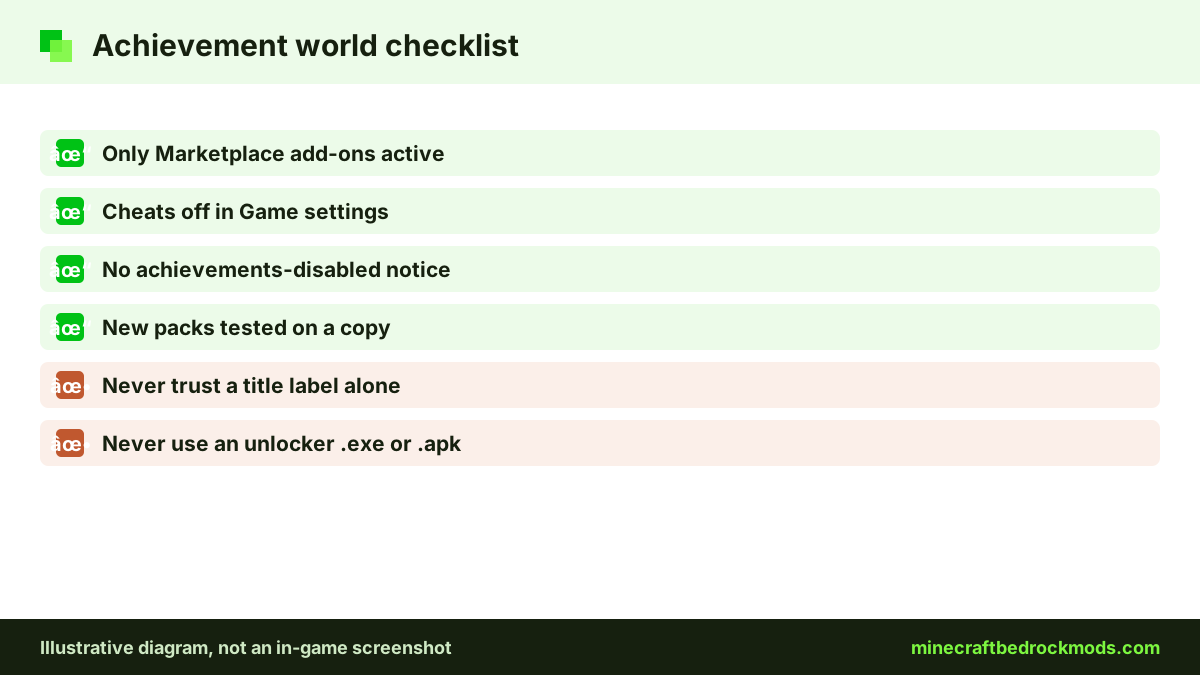
- Look at the world first. Players report an "Achievements Disabled" notice on affected worlds. Look for it in the world list and in the world's settings; wording and placement can change between versions.
- Open the settings. Select Play, then the pencil icon next to the world, then the Game section, and confirm cheats are off.
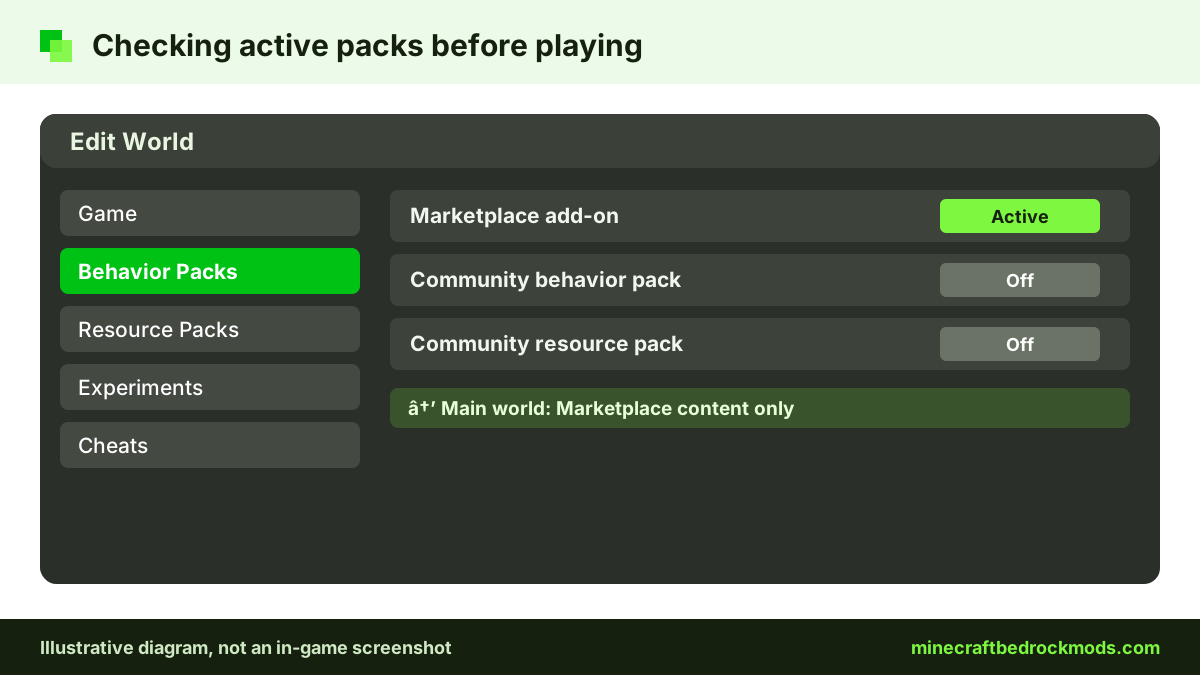
- Review active packs. Open Behavior Packs and Resource Packs and check the active list. In your achievement world it should show only Marketplace content, or nothing.
- Test new packs on a copy. Activate a new pack in a Copy World duplicate, reopen its settings and look for the notice before playing.
- When in doubt, read the source. The official article and the Minecraft Help Center are the references to trust, not a pack title.
Platform Notes
Android and iOS / iPadOS: phones and tablets can import community .mcpack and .mcaddon files by opening them, which is exactly why mixing them into the wrong world is easy. Keep imported packs out of your main world.
Windows 10/11: the same applies on PC, where double-clicking a file imports it. Treat Marketplace content and community downloads as two separate categories.
Xbox, PlayStation and Switch: consoles cannot import community files at all. They get add-ons through the Marketplace, which is the route the official article covers. Console players can still join Realms, servers or friends' worlds that run community packs, so check for the notice there too. Our console add-ons guide explains that route.
Version Note
This guide was written for Minecraft Bedrock 26.60, the latest stable release when checked on November 5, 2026. The player reports about community packs began after 26.50. Achievement behavior can change in any update, so re-check your world after each one and skim the Bedrock 26.60 changelog and later notes for anything about add-ons.
Troubleshooting Achievement Problems
- An achievement did not unlock in a Marketplace-only world. Check that cheats were never enabled and that no community pack was ever active. We could not confirm whether removing a pack restores achievements, so a fresh world is the safer fix.
- An "achievement friendly" pack shows the disabled notice. That matches the player reports. Move the pack to your sandbox world and leave a comment for the creator.
- Old progress was not credited after adding Marketplace add-ons. Achievements are not awarded retroactively, so earlier actions will not count.
- A console friend cannot get the same add-on. Consoles only use Marketplace content, or packs on a world, Realm or server they join.
Safety Notes
Achievement hunters are a favorite target for scams. Ignore any "achievement unlocker", "achievement fixer" or modded launcher that comes as an .exe or .apk. Real Bedrock add-ons are .mcpack, .mcaddon, .mcworld or .mctemplate files, and no download can restore achievements on a world. Never type your Microsoft account details into a site or tool that promises to unlock anything. Our Bedrock mods safety and scam guide covers the warning signs, and if horror packs are your next stop, the horror add-ons guide includes family notes as well.
Frequently Asked Questions
According to the official Minecraft.net article from July 15, 2025, only add-ons released through Minecraft Marketplace allow achievements. Community mods from other sites do not qualify, so assume a world using them will not award achievements.
No. The official article says achievements work with add-ons on all platforms with no limit on the number of add-ons, as long as they come from the Marketplace and cheats stay off.
Treat the label as a creator claim, not a guarantee. After 26.50, players reported on the official feedback site that worlds with external behavior packs showed Achievements Disabled, including some packs labelled achievement friendly. Test on a copy of your world first.
The official article only guarantees Marketplace add-ons. For a community resource pack, activate it on a copy of your world and check for an achievements-disabled notice before you rely on it.
No. Achievements are not awarded retroactively, so progress made before a world qualified will not unlock later.
Yes. Turning on cheats disables achievements in that world, whatever add-ons it uses. Keep cheats for your modded sandbox world.
Conclusion
The official rule is clear: since July 2025, Marketplace add-ons keep achievements on across all platforms, community mods do not qualify, nothing is awarded retroactively and cheats still switch achievements off. Player reports after 26.50 add a warning on top of that, because even packs labelled achievement friendly were reportedly flagged.
Keep one vanilla or Marketplace-only world for achievements, one sandbox world for Minecraft Bedrock mods, and check each world's notice before a long session. That way you never have to choose between your favorite community packs and your achievement list.