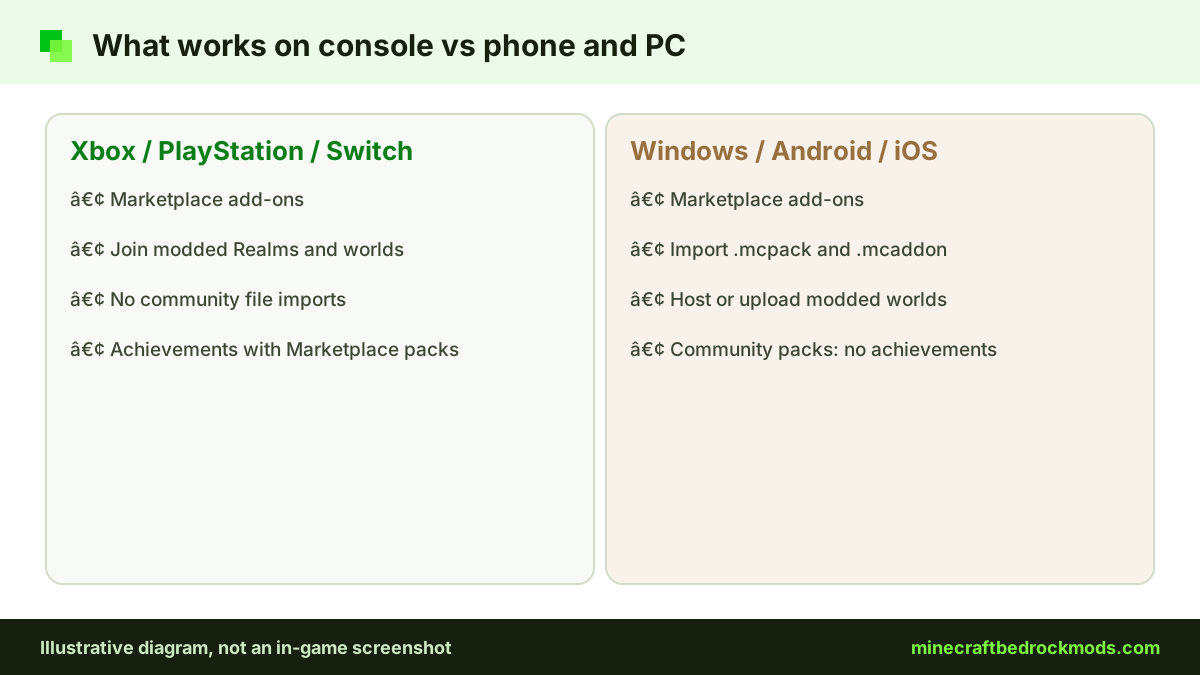
If you play on Xbox, PlayStation or Nintendo Switch, Minecraft Bedrock mods work a little differently than on a phone or PC. Consoles cannot import community .mcpack, .mcaddon or .mcworld files, so the usual "download and open the file" method is not available. That does not mean console players miss out. Official Bedrock add-ons from the Minecraft Marketplace work on every console, and you can also join Realms, servers and friends' worlds that already run packs. This guide explains what really works on each console, which Marketplace add-ons are free, and which "console mod" tricks to avoid.
Platform Notes: What Works on Each Console
All three consoles share the same basic rules for add-ons. The differences come mostly from graphics features. Here is the short version.
| Feature | Xbox | PlayStation | Switch |
|---|---|---|---|
| Marketplace add-ons (free and paid) | Yes | Yes | Yes |
| Import community .mcpack / .mcaddon files | No | No | No |
| Join modded Realms, servers and friends' worlds | Yes | Yes | Yes |
| Vibrant Visuals | Yes (Xbox Series X|S, Xbox One) | Yes (PS4, PS5) | Not on the official list |
| Achievements with Marketplace add-ons | Yes | Yes | Yes |
The Marketplace Route for Console Add-ons
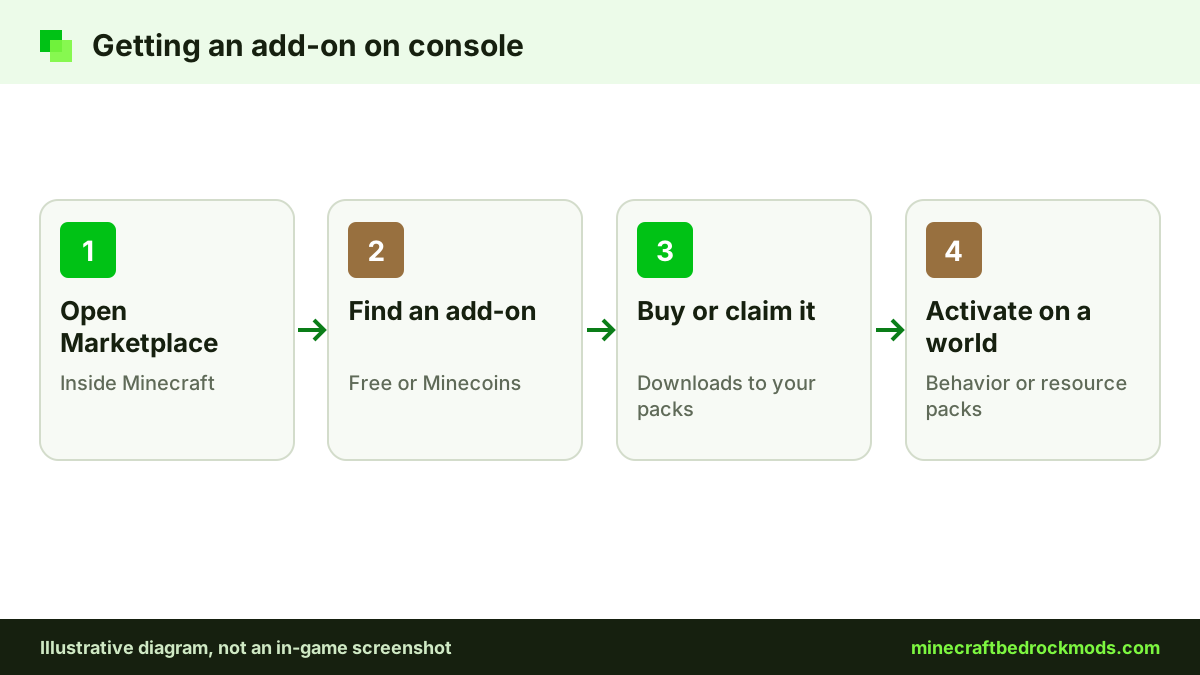
The Minecraft Marketplace add-ons category is the only way to install add-ons directly on a console. Add-ons became a Marketplace category in 2024, and the Help Center confirms that Marketplace content can be bought on any platform that runs Bedrock, then added to single-player and multiplayer worlds.
The process is simple. Open the Marketplace inside Minecraft, find an add-on, then buy it with Minecoins or claim it if it is free. Once it downloads, it appears in your packs list, ready to activate on a world.
Sign in with your Microsoft account before you buy, and use the same account each time so your packs are easy to find. Minecoins are bought with real money, so parents may want to review purchase settings on the family's console account before handing over the controller.
Activating a Marketplace Add-on on Console
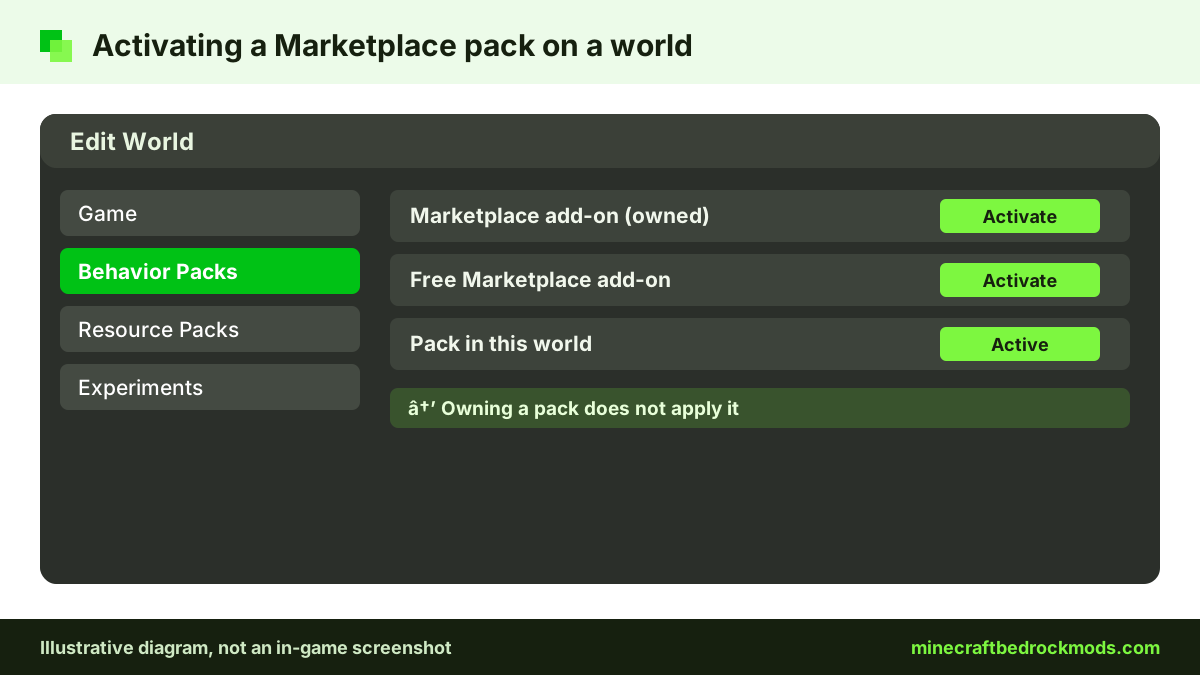
The official Help Center steps for activating add-ons are the same on consoles as elsewhere:
- New world: select Play, then Create New World, open Resource Packs or Behavior Packs, activate the pack on the Available tab, then select Create.
- Existing world: select Play, choose the pencil icon next to the world, open Resource Packs or Behavior Packs, activate the pack, then select Play.
Make a copy of an existing world before adding a big pack, so you can go back if you do not like the changes.
Free Marketplace Add-ons Worth Trying
The Marketplace offers free add-ons alongside paid ones. When we checked on November 5, 2026, the free list included these:
- Another Furniture Add-On by Starfish Studios: chairs, tables, shelves and more for builders. A light pack that suits any world.
- Spark Pets Add-On (Lite) by Spark Universe: 10 cute pets with colors, outfits, treats and tricks, which makes it a nice pick for younger players.
- Tinkers' Construct Lite by FTB: a free version of the Tinkers' Construct add-on, listed in the Marketplace add-ons category.
Free items can change over time, so check the Marketplace for the current list. Our free vs Marketplace guide compares free and paid options across every platform.
Paid Marketplace Add-ons for Consoles
Some of the best-known Marketplace add-ons are official Bedrock versions of popular Java mods. Two verified examples:
- Naturalist Add-On by Starfish Studios: the official Bedrock edition of the Naturalist Java mod, with 200+ animals and babies across every biome. Paid with Minecoins.
- Decocraft by Razzleberries: the official Bedrock version of Decocraft, with over 1,500 placeable decorations and animated furniture. Paid with Minecoins.
Prices are shown in Minecoins inside the store and can change, so check the listing before you buy. For more named picks across all platforms, see our best Minecraft Bedrock mods list.
Marketplace Pass Packs
The official Realm Hub steps mention activating packs from "Marketplace Pass Packs" as well as from My Packs. That means content included with Marketplace Pass can be applied to a Realm world from the same Edit World menu. Check the Marketplace in your game for what Marketplace Pass currently includes and what it costs in your region.
Joining Modded Realms and Worlds From a Console
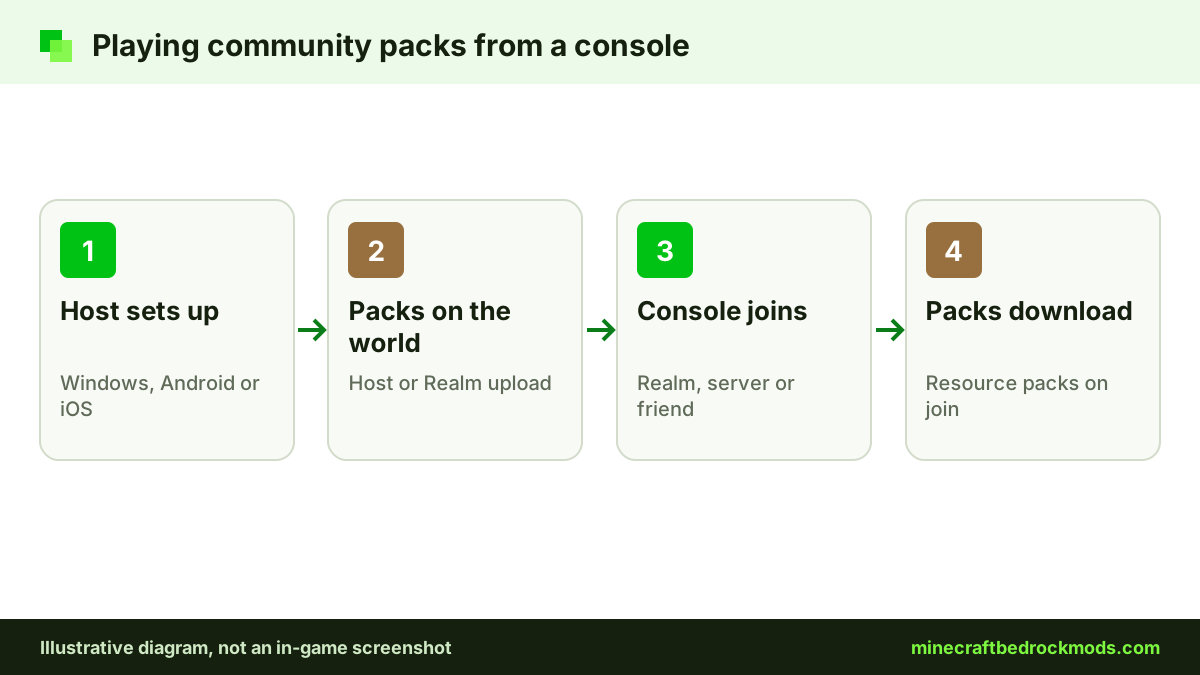
Console players can enjoy community add-ons without importing anything, by joining a world someone else has set up. When you join a Realm, server or friend's world that runs packs, the resource packs download to your console as part of joining.
The setup has to happen on a device that can import files: Windows, Android or iOS. A friend or parent applies the packs to a world on that device, then hosts it or uploads it to a Realm. Our Realms and multiplayer guide walks through that side step by step.
A few things to keep in mind when you join a modded world from a console:
- You can only play the world while it is online, so a friend's world closes when they leave. A Realm stays available.
- You cannot change the packs yourself. Ask the host to add, remove or update them.
- Worlds that use community packs do not earn achievements, even if you are only a guest.
- Large texture packs take longer to download on join, especially on a slow connection.
Vibrant Visuals on Xbox and PlayStation
Vibrant Visuals is Mojang's official visual refresh for Bedrock. According to the official Vibrant Visuals page, compatible devices include Xbox Series X|S, Xbox One, PlayStation 4 and PlayStation 5. Nintendo Switch is not on that list.
On compatible devices it becomes the default graphics mode, while on some devices, such as Xbox One and PS4, you select it in the graphics settings. Resource packs can add Vibrant Visuals support, so a Marketplace texture pack may look different with it switched on.
Vibrant Visuals adds lighting and shadow effects on top of the standard look. If a heavy add-on world feels slow on an older console, try switching back to the regular graphics mode to see whether it helps, then decide which matters more to you.
Marketplace vs Community Packs: What Console Players Trade Off
The Marketplace is a smaller, curated catalog compared with the huge range of free community add-ons on sites like CurseForge and MCPEDL. In exchange, console players get packs that install in one step, work on every Bedrock platform and keep achievements. Community packs offer more variety, but on a console you can only reach them through someone else's world. Our CurseForge guide shows what that community side looks like.
Achievements With Console Add-ons
Minecraft.net confirmed in July 2025 that achievements can be earned in Bedrock worlds with add-ons installed, on all platforms, as long as those add-ons come from the Marketplace. Community packs do not qualify, and cheats still disable achievements. Achievements are not awarded retroactively, so anything you did before the change does not count.
For console players this is good news: a Marketplace add-on on your Xbox, PlayStation or Switch world keeps achievements working. A modded Realm that uses community packs is a different case, so check the world's settings if achievements matter to you.
Beware of Console Mod Tricks and Fake Tools
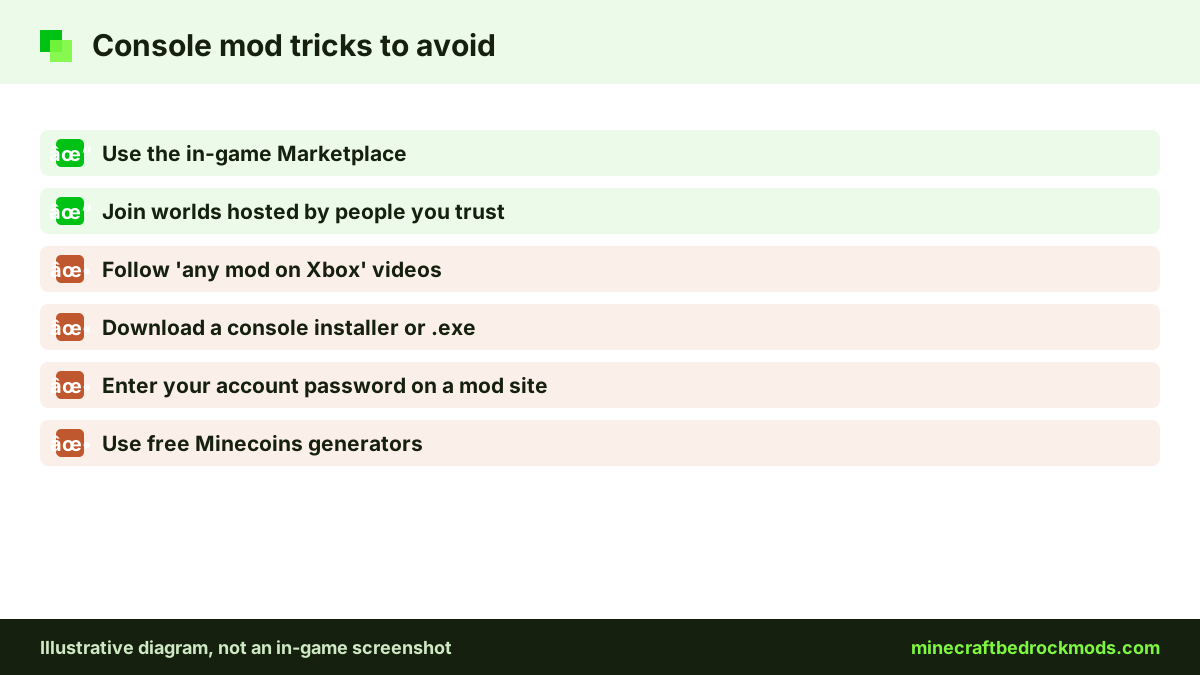
Sideloading community add-ons on Xbox, PlayStation or Switch is not supported. Videos and websites that claim otherwise are usually after clicks, ad revenue or your account details. Watch out for:
- YouTube "console mod" tutorials that promise any add-on on Xbox or PlayStation in a few steps.
- Download sites offering a "console installer", ".exe tool" or app that "unlocks" add-ons.
- Pages asking for your Microsoft account password or a survey before a download.
- Offers of free Minecoins or free paid add-ons through outside generators.
None of these are needed for real Bedrock add-ons. Stick to the in-game Marketplace and to worlds hosted by people you trust. Our safety and scams guide explains the warning signs for families.
For younger players, a simple house rule works well: new add-ons come from the Marketplace or from a Realm a parent manages, and nobody types an account password into a website about mods. Light, friendly picks such as Spark Pets Add-On (Lite) are a gentle place to start.
Version Note and Updates
Bedrock 26.60 was the latest stable release when we checked on November 5, 2026, with 26.70 in preview. Marketplace packs and modded worlds expect an up-to-date game. If a modded Realm or world will not let you join, follow the Help Center guide to manually update Minecraft on consoles.
Troubleshooting Console Add-ons
- Purchased add-on not showing. Make sure you are signed in with the same Microsoft account you used to buy it, then check your packs list again.
- Pack bought but nothing changes. Activate it on the world under Resource Packs or Behavior Packs. Owning a pack does not apply it automatically.
- Cannot join a friend's modded world. Update the game and check that both of you run the same version.
- Textures missing on a Realm. Leave and rejoin so the resource pack download can finish.
- A Realm pack will not activate. Only the Realm owner can change packs, from Edit World in the Realm Hub.
- Game slows down. Large add-ons and Vibrant Visuals together can be demanding. Try fewer packs at once.

Frequently Asked Questions
No. Consoles cannot import community .mcpack, .mcaddon or .mcworld files. Use Marketplace add-ons, or join a Realm, server or friend's world that already runs community packs.
Yes. When we checked on November 5, 2026, free Marketplace add-ons included Another Furniture Add-On, Spark Pets Add-On (Lite) and Tinkers' Construct Lite. The free list can change, so check the Marketplace.
No. Since July 2025, add-ons released through the Marketplace allow achievements on all platforms. Community packs and cheats still disable them.
Switch is not on the official list of compatible devices. The list includes Xbox Series X|S, Xbox One, PlayStation 4 and PlayStation 5 among consoles.
Sideloading community add-ons on consoles is not supported. Tutorials or tools that promise it are often clickbait or scams, so never enter your account password or run downloaded tools for them.
Set up the world with packs on Windows, Android or iOS, then host it or upload it to a private Realm. The console joins and downloads the resource packs automatically.
Conclusion
On Xbox, PlayStation and Switch, the Marketplace is the one reliable way to add Bedrock add-ons directly. Free picks such as Another Furniture Add-On and Spark Pets Add-On (Lite) are an easy start, paid add-ons like Naturalist and Decocraft go further, and Marketplace add-ons keep achievements working.
For community packs, join a Realm or world that a friend or parent has set up on Windows, Android or iOS. Skip any video or tool that promises sideloading on a console, keep your game updated, and your console can still enjoy the best of Minecraft Bedrock mods.