Minecraft Bedrock mods are a fun, creative part of the game, and the vast majority of add-on creators share their work in good faith. The popularity of the search term also attracts people who want something else: your Microsoft account, your phone's data or a few dollars from ad clicks. This guide is for players and parents alike. It shows what real Bedrock add-ons look like, the scams that copy them, where to download safely, and the family settings and content choices worth talking about before a child starts installing packs.
What Real Bedrock Add-on Files Look Like
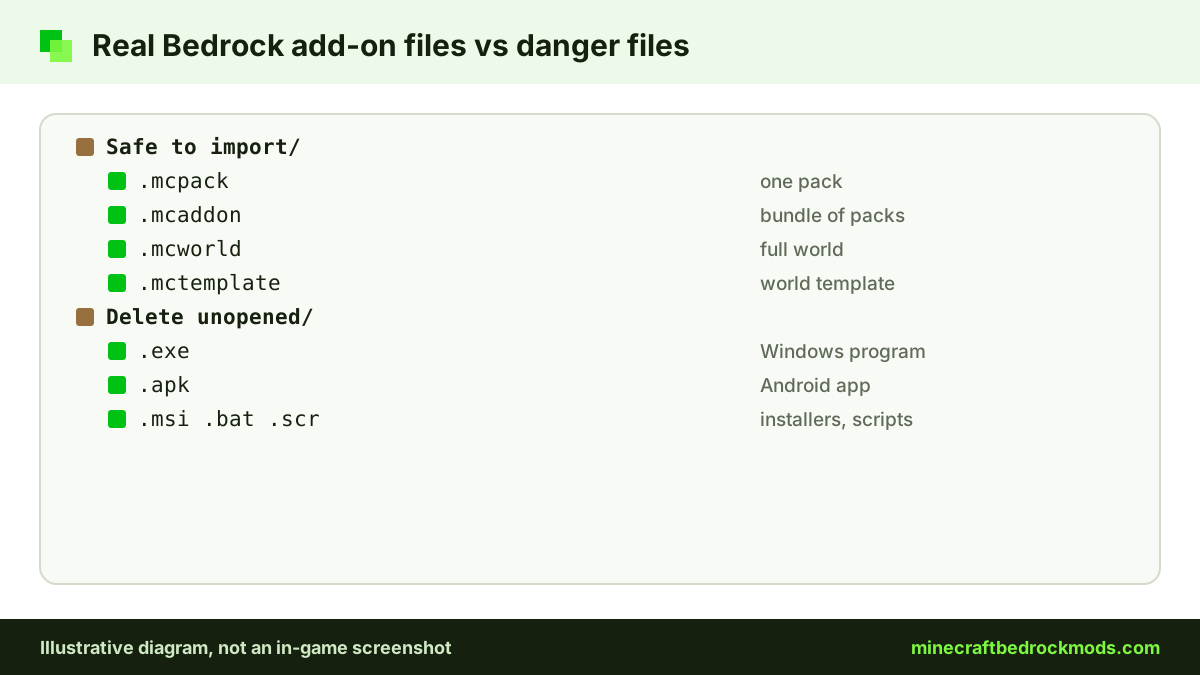
The single most useful safety fact is short: genuine Bedrock add-ons come in only a few file types, and none of them is a program. According to the Minecraft Help Center, these are the formats Bedrock imports:
.mcpackfor a single behavior or resource pack.mcaddonfor a bundle of packs.mcworldfor a complete world.mctemplatefor a world template
Opening one of these on Windows, Android or iOS imports it into Minecraft. Some creators also share a .zip that contains these files. Anything that asks you to run an installer is not how Bedrock add-ons work.
Common Minecraft Bedrock Mods Scams
Fake installers and "mod installer" apps
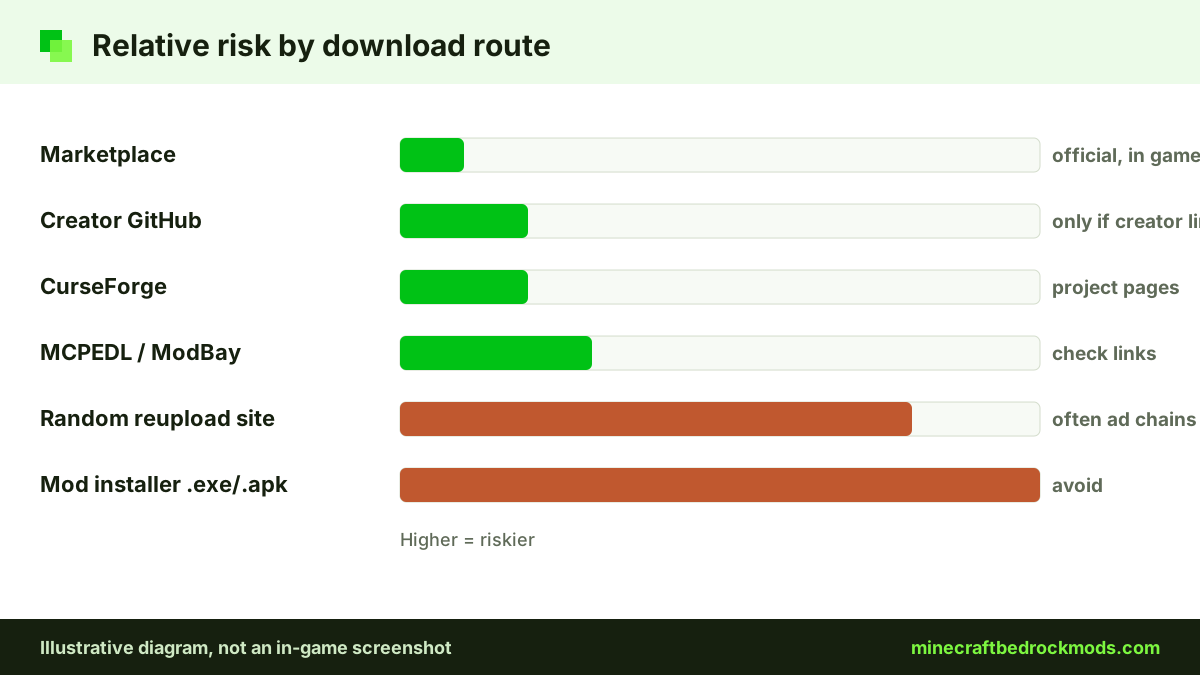
The classic trap is a download called something like "Mod Installer.exe" or "Addons Installer.apk". It promises to install a popular mod for you. In reality, an .exe can run any code on a PC and an .apk is a full Android app that can ask for permissions. Neither is needed to install a pack. Delete them unopened.
Survey walls and link shorteners
Some pages hide the download behind "complete two offers to unlock" screens, or bounce you through chains of shortened links and pop-ups. The goal is ad revenue or personal details, and the file at the end, if there is one, is often a reupload or something harmful. Reputable hosts never ask you to complete a survey to download.
Fake console mod tools
Xbox, PlayStation and Switch cannot import community .mcpack or .mcaddon files at all. Consoles get add-ons through the Marketplace, or by joining a Realm, server or friend's world that already runs packs. Any website, video or tool that claims to "unlock mods on console" with a PC program or a code is a scam.
Account phishing
Never type your Microsoft account email and password into a mod site, a Discord link or an app that promises free Minecoins, skins, capes or an achievement unlocker. No add-on needs your login. If a page looks like a Microsoft sign-in screen but the address bar shows a different domain, close it.
Red Flags vs Safe Signs
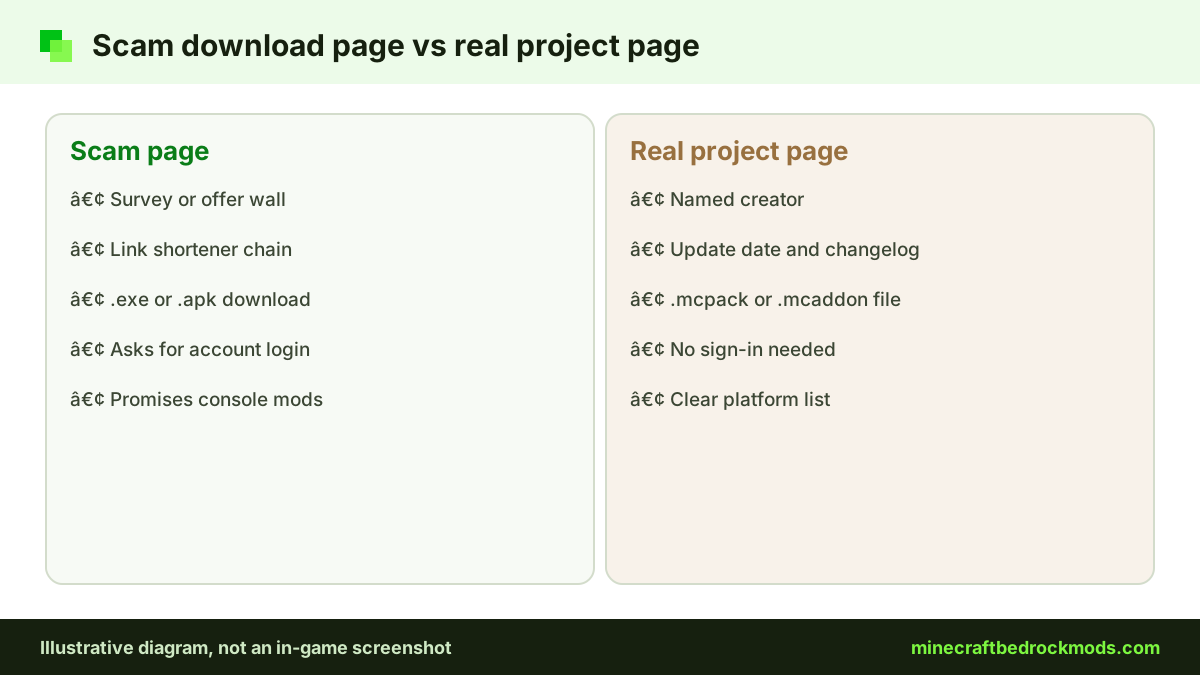
Use this table as a quick check before any download, for yourself or with your child.
| Red flag | Safe sign |
|---|---|
| File ends in .exe, .apk, .msi, .bat or .scr | File ends in .mcpack, .mcaddon, .mcworld or .mctemplate |
| "Complete a survey to unlock" or offer walls | Direct download button on the host's own page |
| Long chains of link shorteners and pop-ups | One click from the project page to the file |
| Asks for your Microsoft account login | No sign-in needed beyond the game itself |
| Promises console mods, free Minecoins or unlockers | Clear platform list, such as Android, iOS, Windows |
| Brand-new page reuploading a famous mod | Named creator, update date and real comments |
| Pressure: "download before it's removed" | Changelog and version notes you can read calmly |
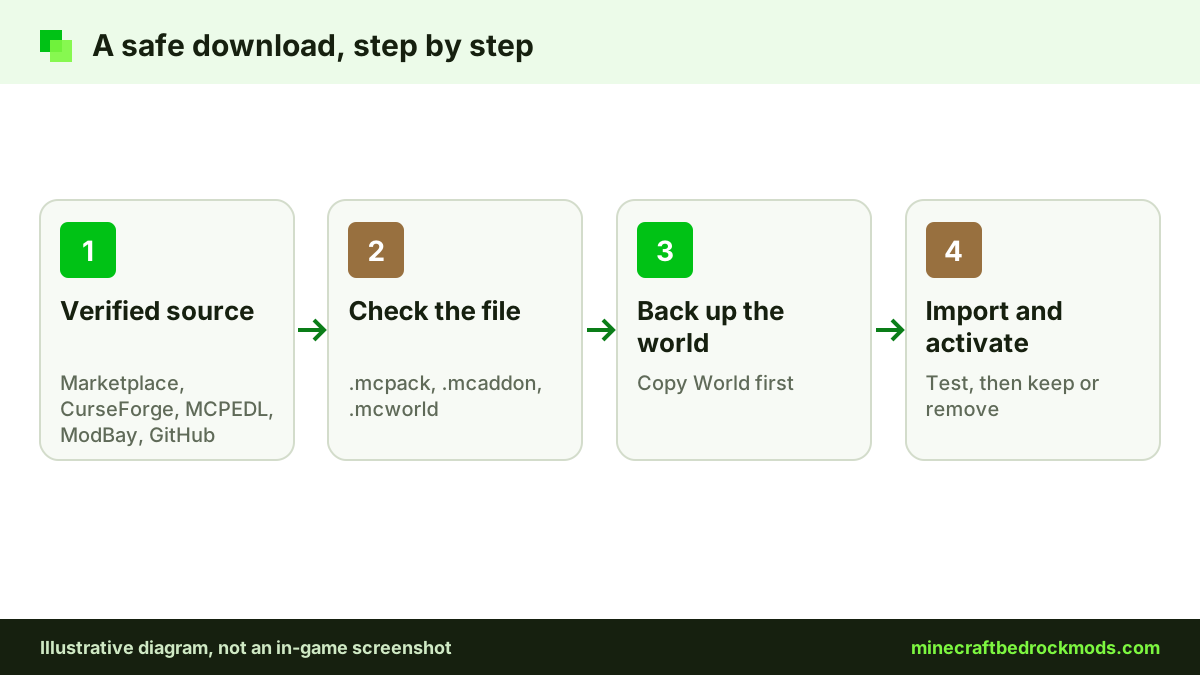
Safe Places to Download Bedrock Add-ons
Minecraft Marketplace. The official Marketplace is built into the game and works on every Bedrock platform, including consoles. It has free and paid add-ons. Official examples include Another Furniture Add-On by Starfish Studios and Spark Pets Add-On (Lite) by Spark Universe, both free, and Naturalist Add-On, which costs Minecoins.
CurseForge. The CurseForge Bedrock section lists creators, update dates and files on each project page. Our CurseForge guide for Bedrock players walks through it.
MCPEDL and ModBay. MCPEDL and ModBay are long-running community catalogs. Read the comments and check that the download link goes to the file, not to an ad chain.
Creator GitHub repositories. Some creators publish releases on GitHub. Use only repos the creator links themselves. Verified examples include the Faithful 32x Bedrock repository, the Advanced Waypoints repository and Mojang's own bedrock-samples. Releases there are .mcpack or .mcaddon files, as you would expect.
Our step-by-step download guide shows the full import process on each device.
How to Vet a Bedrock Mods Project Page
Even on a good host, take thirty seconds to check the page itself before you download:
- Creator name. The page should name a creator, and that name should match the one on other hosts or on the creator's GitHub.
- Update date. A recent update and a version or changelog show the project is maintained. Very old files may not work on the current release.
- Platforms and requirements. Look for a clear platform list and any experiments the pack needs. RPG++, for example, is listed as requiring experiments.
- Comments. Real comments mention gameplay, bugs and fixes. A wall of identical praise, or comments warning about the link, is a reason to leave.
- The download itself. Hover over or long-press the button. It should lead to the host's own file, not to a shortener or a different domain.
Talking With Kids About Downloads
Rules work better when children understand them. Explain that a mod is a Minecraft file, not an app, so anything that asks to install a program is a trick. Agree that new packs get a quick look from a parent first, at least until the child can spot the red flags in the table above. Make it safe to admit mistakes: a child who clicked a bad link and tells you straight away is far easier to help than one who hides it. Older kids can take charge of the checks themselves and teach younger siblings.
A Note on Mod Browser Apps
This site features an Android app on Google Play called MC Bedrock Mods for Minecraft. It is a third-party app, not an official Mojang or Microsoft product. Treat it like any other app: read the reviews, check the permissions it asks for in the Play Store listing, and apply the same file rules to anything it delivers. That advice holds for every mod browser app, whoever makes it.
Family Safety Tips for Parents
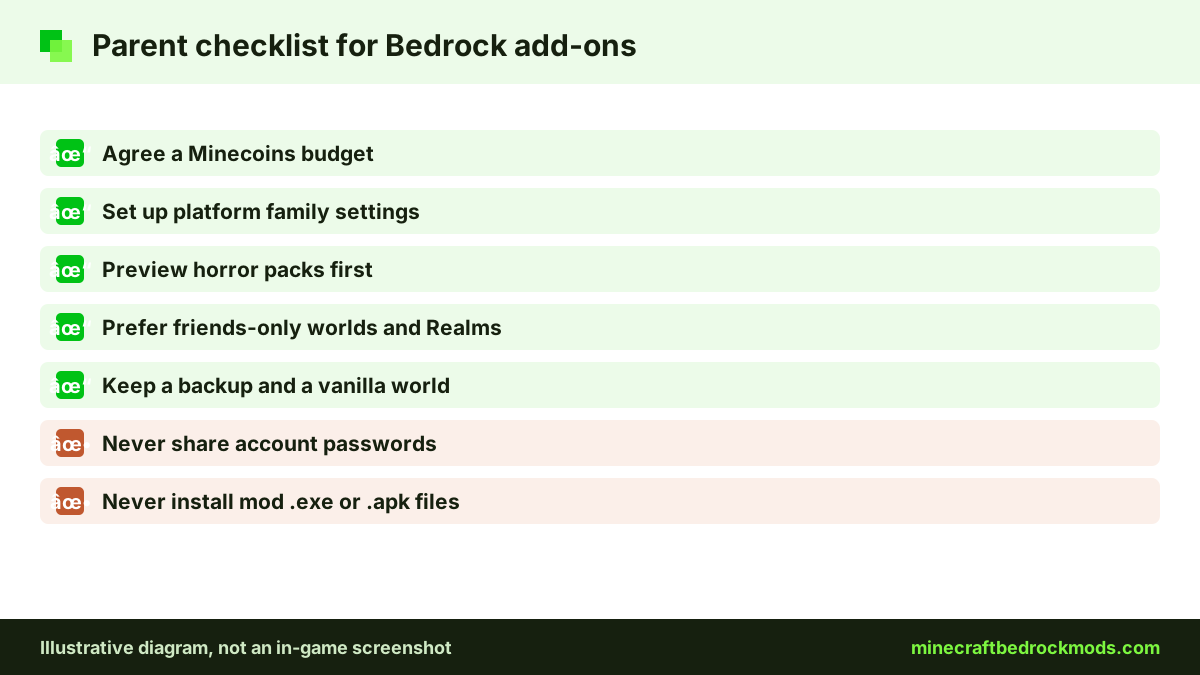
Purchases and family settings
Marketplace items are either free or paid in Minecoins, which are bought with real money. Talk about a budget, and use the purchase approval and family settings your platform or Microsoft account offers. Settings differ between devices, so check the Player Safety section of the Minecraft Help Center for current, official guidance rather than relying on a third-party tutorial.
Content intensity
Community add-ons do not carry formal age ratings. Horror packs in particular range from gentle fog to stalker mobs and jump scares. Preview a pack in a test world, read the description and comments, and start mild. Our horror add-ons guide sorts packs by intensity with family notes.
Public servers and chat
Public servers can be a lot of fun, but they mean chatting with strangers. Prefer Realms or worlds hosted by friends and family for younger players, agree that nobody shares personal details or account logins, and show children how to leave a server and tell you if something feels wrong.
Keep a backup world
A bad pack is more often annoying than dangerous, but it can still break a world a child loves. Back up before activating new packs, and keep a vanilla world for achievements; our guide to add-ons and achievements explains why.
Platform Notes
Android: a real add-on opens in Minecraft or a file manager, never in the package installer. If your phone asks to "install unknown apps" for a mod, stop. Keep Google Play Protect on.
iOS / iPadOS: iPhone and iPad cannot run .apk or .exe files at all, so a page offering one is a scam by definition. Add-ons import through the Files app by opening the pack in Minecraft.
Windows 10/11: double-clicking a .mcpack or .mcaddon imports it. Minecraft does the importing itself, so a separate "mod installer" asking for administrator rights is a warning sign.
Consoles: Marketplace only, plus joining worlds that already have packs. No sideloading tools exist that we can recommend.
Version Note
This guide was written for Minecraft Bedrock 26.60, the latest stable release when checked on November 5, 2026. File types and safe sources rarely change, but scam pages adapt quickly, often copying the names of new updates. A download that claims to be an "exclusive" early version of an update is a red flag.
Troubleshooting: What to Do If You Clicked Something
- You downloaded an .exe or .apk but did not open it. Delete it and empty the recycle bin or downloads folder.
- You ran it. Disconnect from the internet, run a full scan with your device's security tools, and remove any app you do not recognize.
- You typed your Microsoft password somewhere. Change it right away from the official Microsoft account site, turn on two-step verification and review recent activity.
- A pack imported but looks wrong. Remove it from the world, restore your backup and download again from the creator's own page.
Frequently Asked Questions
Add-ons from the Marketplace, CurseForge, MCPEDL, ModBay or a creator's own GitHub are generally the safe route. Real add-ons are .mcpack, .mcaddon, .mcworld or .mctemplate files. The risk comes from fake pages that hand out programs instead.
No. Opening a genuine add-on file imports it into Minecraft on Windows, Android and iOS. Any .exe or .apk that claims to install a mod for you should be deleted unopened.
Not by importing files. Consoles get add-ons through the Minecraft Marketplace, or by joining a Realm, server or friend's world that already runs packs. Tools that promise console mods are scams.
Never. No add-on needs your login. Pages promising free Minecoins, skins or achievement unlockers in exchange for your account details are phishing.
Agree on a budget and use the purchase approval and family settings your platform or Microsoft account provides. The Player Safety section of the Minecraft Help Center has current official guidance.
No. It is a third-party Android app featured on this site, not a Mojang or Microsoft product. Check its reviews and permissions like any app, and apply the same file rules to its downloads.
Conclusion
Staying safe with Minecraft Bedrock mods comes down to a few habits: download only .mcpack, .mcaddon, .mcworld or .mctemplate files, use the Marketplace, CurseForge, MCPEDL, ModBay or a creator's own GitHub, and never hand over a Microsoft account login. Fake installers, survey walls and console mod tools all fail those simple tests.
For families, add a purchase budget, platform family settings, a mild-first approach to horror content and friends-only worlds for younger players. Keep backups, check the official Help Center when settings change, and add-ons stay what they should be: a creative extra, not a risk.