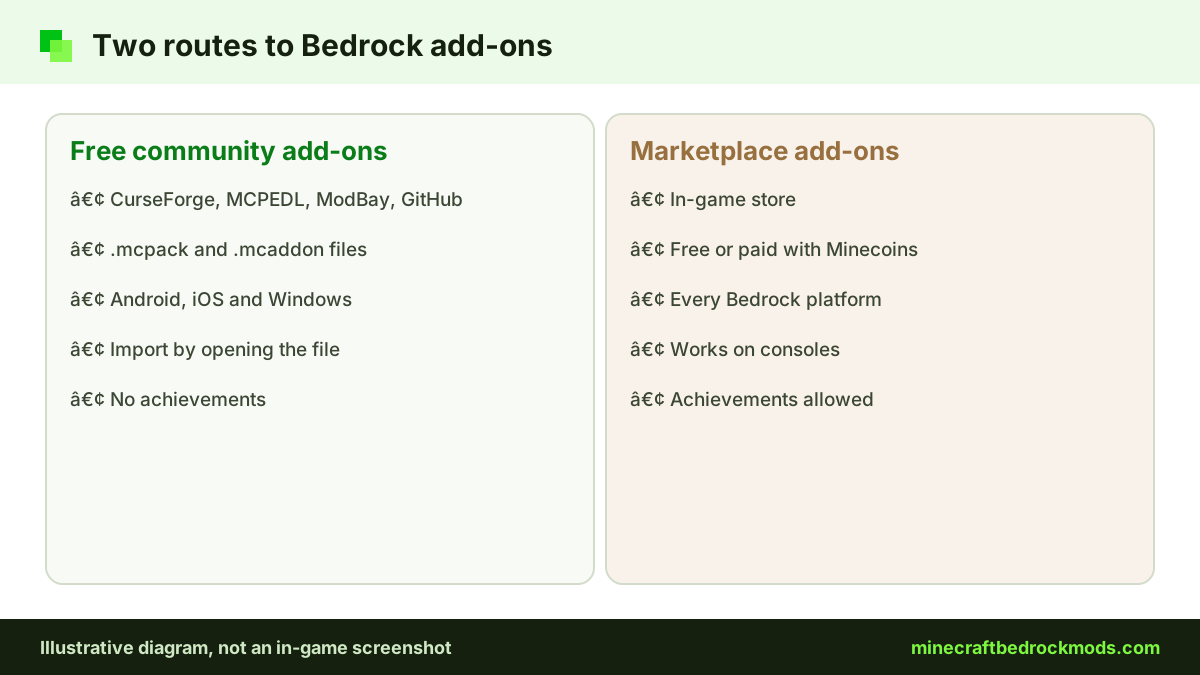
Minecraft Bedrock mods come from two places: free community add-ons that creators share on sites such as CurseForge, and the official Minecraft Marketplace, which has both free and paid add-ons. Both can add new mobs, furniture or a full survival overhaul, but they differ in where they run, whether they keep achievements and what "free" really costs. This guide compares both routes with real, named examples checked on November 5, 2026.
Quick answer: on Android, iPhone or Windows, you can use free community add-ons and Marketplace add-ons. On Xbox, PlayStation and Switch, the Marketplace is the only direct route. If achievements matter, use Marketplace add-ons, since community packs do not qualify.
Two Ways to Get Bedrock Add-ons
Bedrock does not load Java mods. What players call mods are add-ons: behavior packs that change how mobs, items and blocks act, and resource packs that change how things look. Community add-ons arrive as .mcpack (one pack), .mcaddon (a bundle), .mcworld (a world) or .mctemplate (a world template) files. Opening one on Windows, Android or iOS imports it into the game.
Marketplace add-ons work differently. You get them inside the game's store, with Minecoins for paid items or at no cost for free ones, then activate them in a world. The Help Center confirms you can buy Marketplace content on any platform that runs Bedrock.
Free Marketplace Add-ons Worth Trying
Add-ons became a Marketplace category in 2024, and the Marketplace add-ons category listed several free picks when we checked:
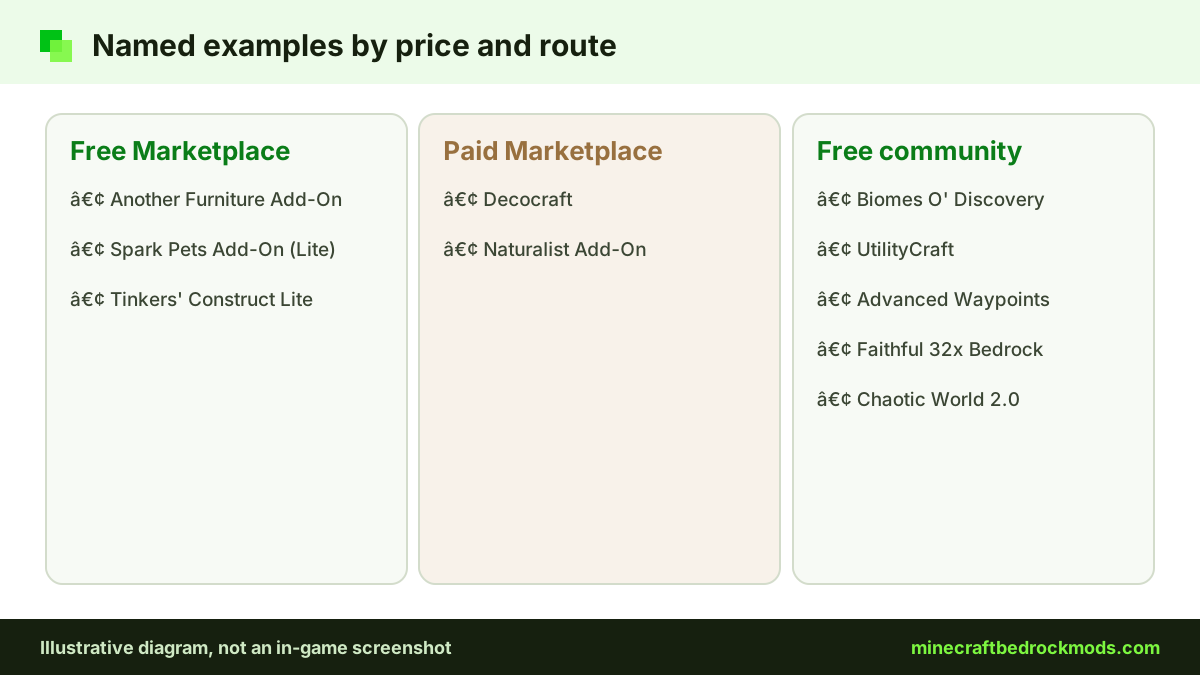
- Another Furniture Add-On by Starfish Studios: chairs, tables, shelves and more for builders.
- Spark Pets Add-On (Lite) by Spark Universe: 10 pets with colors, outfits, treats and tricks.
- Tinkers' Construct Lite by FTB: listed free in the same category. Tinkers' Construct is one of the official Java-mod ports on the Marketplace.
Because they are Marketplace add-ons, they work on every Bedrock platform, including consoles, and they keep achievements.
Paid Marketplace Add-ons
Paid add-ons cost Minecoins, the in-game currency. Two official ports of well-known Java mods on our verified list:
- Decocraft by Razzleberries: over 1,500 placeable decorations and animated furniture.
- Naturalist Add-On by Starfish Studios: 200+ animals and babies across every biome. The listing title says 26.2.
We do not list Minecoin prices because they can change; check the store page before you buy. Paid packs suit players who want a polished, console-ready add-on. Try a free Marketplace pick first to see how add-ons feel in your world.
Free Community Picks From Our Verified List
These free community add-ons were checked on their source pages. They run on Android, iOS and Windows, not on consoles.
| Add-on | Creator | What it adds | Source |
|---|---|---|---|
| Biomes O' Discovery | ZorroCraft | New biomes, trees and crops | CurseForge |
| UtilityCraft | DoriosStudios | Machines, generators and fluid systems | CurseForge |
| Advanced Waypoints | Endermen76428 | Waypoints to find your way home | GitHub (.mcaddon) |
| Faithful 32x Bedrock | Faithful Resource Pack team | Double-resolution vanilla-style textures | faithfulpack.net |
| Bare Bones Texture Pack | robotpants | Simple trailer-style textures | CurseForge |
| Chaotic World 2.0 | YTAUN | Boss fights, skill weapons, armor sets | CurseForge |
| DontCry | Omayoba | Stalker-style horror, for older players | CurseForge |
For creator, version, platform and performance details on 15 picks, see our best Minecraft Bedrock mods list.
Free Community Add-ons vs Marketplace: Side by Side
| Factor | Free community add-ons | Marketplace add-ons |
|---|---|---|
| Cost | Free; creators may accept optional support | Free or paid with Minecoins |
| Where it works | Android, iOS, iPadOS, Windows | All Bedrock platforms, including consoles |
| Achievements | Do not qualify | Allowed |
| How you get it | Download a file and import it | Get it in the in-game store |
| Updates | Manual; re-download new files yourself | Managed in the in-game store |
| Variety | Very broad, including niche ideas | Curated, narrower range |
| Main risk | Ad walls, reuploads, outdated files | Spending on packs you rarely use |
Achievements: The Big Difference
Since July 2025, Minecraft.net says achievements work with add-ons on all platforms, with no limit on how many you install. The catch: only add-ons released through the Minecraft Marketplace allow achievements. Community add-ons do not qualify, and achievements are not awarded retroactively. Turning on cheats still disables them.
Be careful with "achievement friendly" labels on community packs. Player reports on the official feedback site say that after 26.50, worlds with external behavior packs were marked Achievements Disabled, including some labelled achievement friendly. Those are community reports, not an official statement. Our Bedrock achievements guide covers this in depth.
Platform Notes: Consoles, Phones and PC
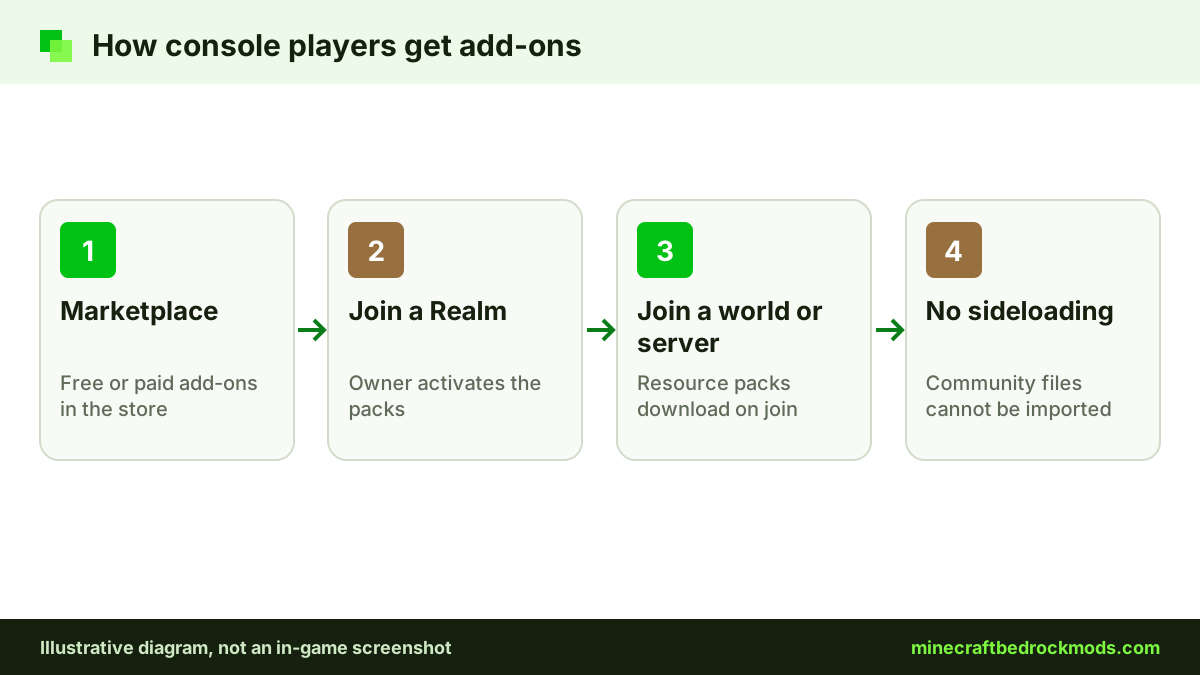
Xbox, PlayStation and Nintendo Switch cannot import community .mcpack, .mcaddon or .mcworld files. Console players get add-ons through the Marketplace, or by joining a Realm, server or friend's world that already runs packs. Never trust a site that claims to sideload community files onto a console. Our console add-ons guide explains every option.
On Android, iPhone, iPad and Windows, you can mix both routes in the same collection.
Realms and multiplayer
A Realm owner can activate packs from the Realm Hub, under the World tab and Edit World, choosing from My Packs or Marketplace Pass Packs. Free community packs reach a Realm a different way: the owner applies them to a world on a device that can import files (Windows, Android or iOS), then uploads that world to the Realm. Friends who join, including console players, receive the resource packs they need.
Safety: What Free Really Costs
Searching for Minecraft Bedrock mods to download free is perfectly reasonable. Thousands of creators share their work openly. The risk is in how some pages deliver the file.
Ad walls and link shorteners
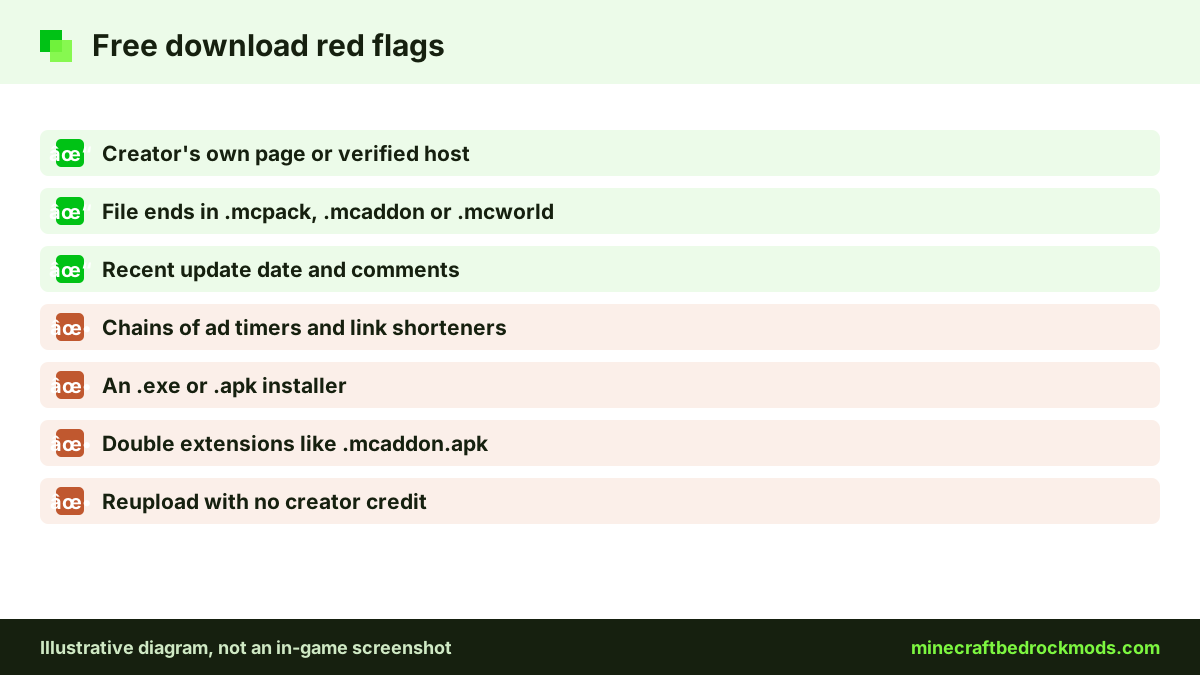
Some uploads hide the real download behind link shorteners that pay per click. You wait through timers, close pop-ups and dodge fake "Download" buttons, and you may be pushed toward notification prompts or unrelated apps. Reuploaders use these heavily, and every extra hop is another chance to land on a malicious page.
Fake installers and the wrong file type
A real add-on is never an .exe or an .apk. If a site tells you to install an app or run a program to "unlock" an add-on, leave. Be suspicious of double extensions such as .mcaddon.apk, and delete anything executable unopened. Our safety and scams guide lists more warning signs.
Stale or stolen packs
Reuploaded copies may be outdated or edited without permission, and the original creator gets nothing. Always download from the creator's own page.
How to Download Free Add-ons Safely
- Start at a reputable source: the creator's page on CurseForge, MCPEDL, ModBay or the creator's own GitHub.
- Read the page: check the last update date, supported version and whether experiments are needed.
- Scan the comments for recent crash or redirect reports.
- Check the file: it should end in .mcpack, .mcaddon, .mcworld or .mctemplate.
- Back up first: export or copy the world.
- Import and activate: open the file, then turn on the packs in the world's Behavior Packs and Resource Packs screens.
Pro tip: before adding a new free pack to a long-running survival world, copy the world and test the add-on there first. If the copy loads cleanly and plays normally for a full in-game day, apply it to your main save with far less risk.
Supporting the Creators Behind Free Content
Free add-ons exist because someone spent evenings modelling, scripting and testing. Support often costs nothing:
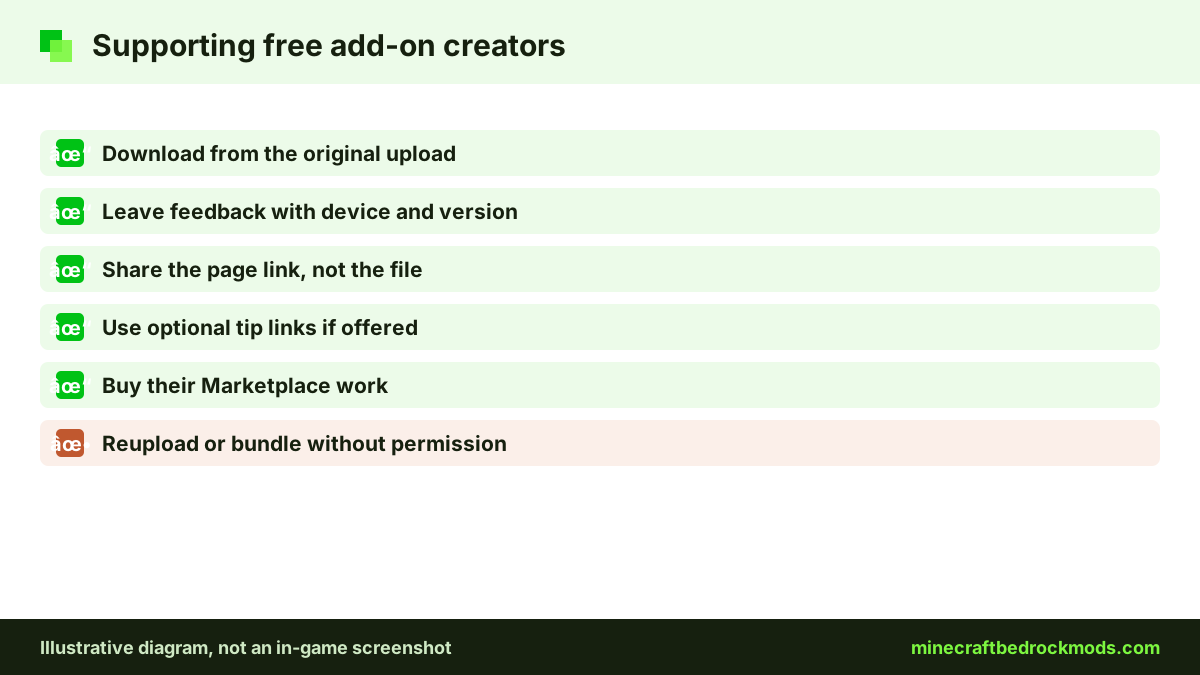
- Download from the original upload, so views and any ad revenue reach the real author.
- Leave useful feedback with your device, game version and what went wrong.
- Link friends to the original page instead of sending them the file.
- Use optional tip links if the creator offers them and you can afford it.
- Buy their Marketplace work if they publish there too.
Licensing and redistribution etiquette
Free to download is not free to reuse. Most creators keep the rights to their work and set terms on the download page. When nothing is written, assume you may use the add-on for yourself and nothing more.
Playing it in your own worlds, sharing a world with friends for private play, and recording gameplay with credit are generally welcome. Reuploading the file, posting a direct link that skips the original page, putting it behind your own link shortener, or editing and republishing it all need the creator's explicit consent. Selling community content is off-limits without a license that allows it.
Version Note
This guide was written for Bedrock 26.60, the latest stable release when checked on November 5, 2026. Free community packs do not always update on the same schedule, so our Bedrock mods by version list shows what each source page lists.
Troubleshooting
- File opens as a zip or folder: choose Minecraft as the app to open it.
- Pack missing after import: look under both Behavior Packs and Resource Packs.
- Achievements disabled: a community behavior pack or cheats are active; use a separate world.
- Marketplace add-on not showing: check that you are signed in to the account that got it.
The Minecraft Help Center has official activation steps.
Which Route Should You Choose?
Your device makes the first decision. Console players should treat the Marketplace as their main source, starting with free picks such as Another Furniture Add-On and Spark Pets Add-On (Lite) before spending Minecoins.
On phones and Windows, a sensible plan is to mix both. Use Marketplace add-ons for worlds where achievements matter or where console friends play, and use free community packs such as Biomes O' Discovery or UtilityCraft for experimental survival saves. When you find a creator whose work you keep returning to, that is the moment to support them, whether through comments, follows or a small tip.
Frequently Asked Questions
Yes, when you download them from the creator's own upload or a page they authorized. Problems come from reuploads that copy someone's work without permission, so stick to original sources.
Yes. When we checked on November 5, 2026, free Marketplace add-ons included Another Furniture Add-On, Spark Pets Add-On (Lite) and Tinkers' Construct Lite, alongside paid ones such as Decocraft and Naturalist Add-On.
No. Consoles cannot import community .mcpack, .mcaddon or .mcworld files. Console players use Marketplace add-ons, or join Realms, servers or friends' worlds that already run packs.
A free Marketplace add-on keeps achievements. Community add-ons do not qualify, according to Minecraft.net, even if they are labelled achievement friendly. Cheats also disable achievements.
Those are link shorteners that pay per visit. Reuploaders use them heavily, and they can lead to misleading pop-ups. Look for the creator's original listing instead.
Send them the link to the original download page instead. The creator gets the visit, your friends get the current version, and nobody relies on an outdated copy.
Conclusion
Free community add-ons offer the widest range of Minecraft Bedrock mods on phones and PC, while Marketplace add-ons, free or paid, work everywhere and keep achievements. Many players mix both: Marketplace picks for console and achievement worlds, community packs for experimental survival saves.
Whatever you choose, download from the creator's own page, check the file type and back up your world first. Browse every verified pick with its source link on our mods download page.