Minecraft Bedrock mods that add or rework creatures are among the most popular add-ons for a simple reason: mobs make a world feel alive. Vanilla Bedrock has a solid roster, yet after a few hundred hours the same cows, wolves and zombies feel predictable. Mob and wildlife add-ons fill forests with new animals, give you unusual pets or put a boss at the end of a dungeon. They also carry more risk than most packs, because creatures run every tick, spawn in numbers and often overlap with other packs.
This guide names two verified wildlife picks, then covers spawn balance, entity performance, override conflicts, consoles, achievements and troubleshooting.
How Mob Add-ons Work
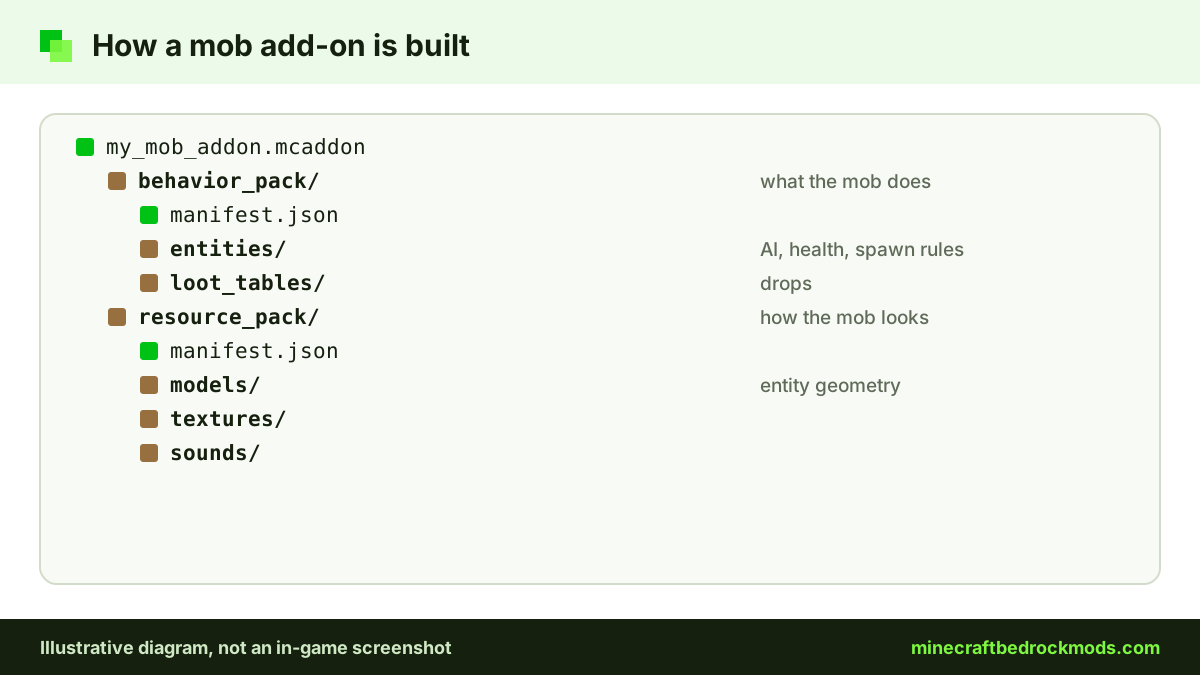
Every creature in Bedrock is an entity. The behavior pack describes what it does: health, movement, AI goals, drops and spawn rules. The resource pack describes how it looks and sounds: model, textures, animations and sounds. A complete mob add-on ships both, often bundled as one .mcaddon file.
Two approaches matter for compatibility. An add-on can create a new entity with its own identifier, which sits alongside vanilla mobs. Or it can override a vanilla entity by redefining one, such as the zombie or wolf. New entities rarely clash; overrides cause most problems. Advanced packs also use the JavaScript Script API for boss phases or pet menus.
Verified Mob and Wildlife Bedrock Add-ons
We only name add-ons we checked on their source pages on November 5, 2026. Both picks below are official Marketplace add-ons, so they work on every Bedrock platform, consoles included. Performance ratings are editorial estimates, not benchmarks.
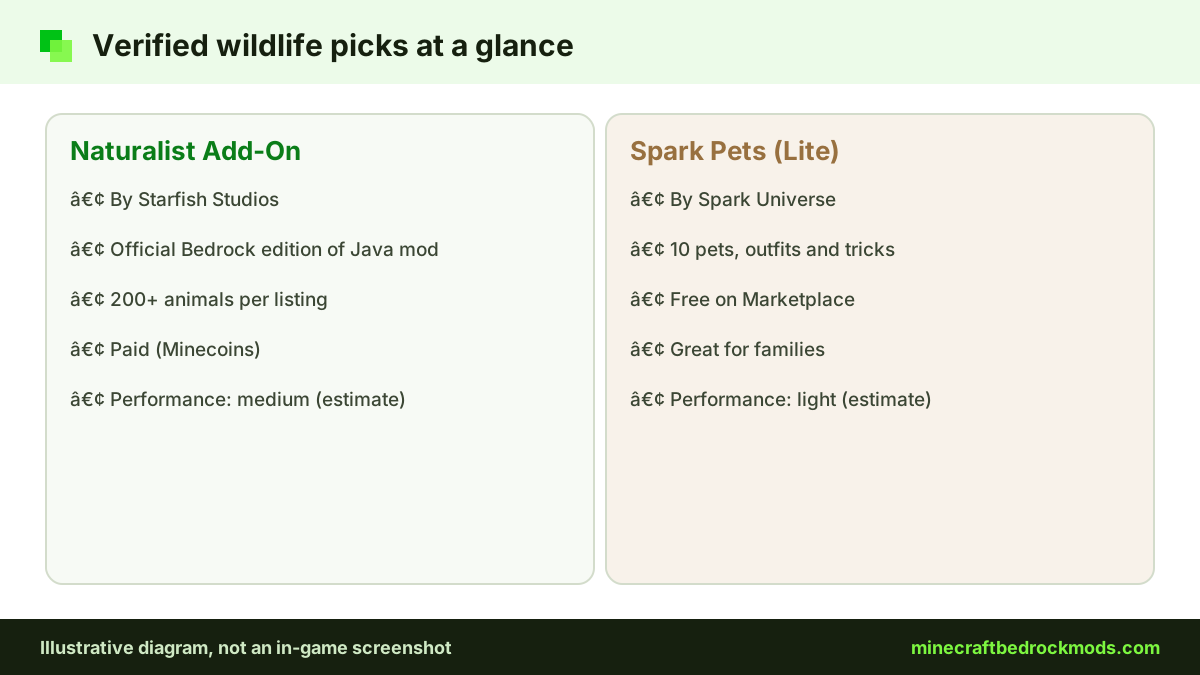
Naturalist Add-On by Starfish Studios
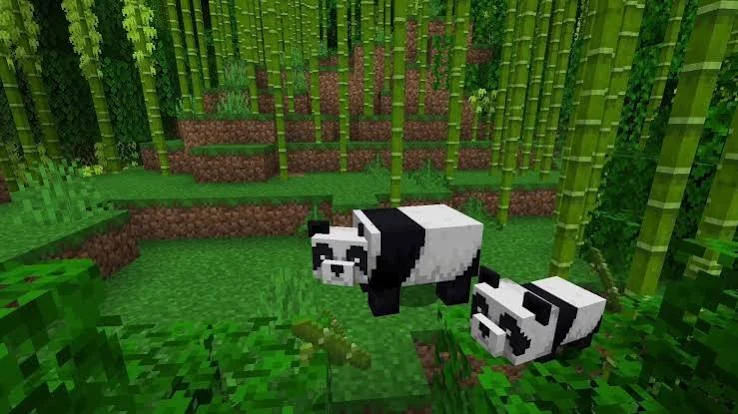
The Naturalist Add-On is the official Bedrock edition of the Naturalist Java mod. Its listing describes 200+ animals and babies across every biome. It is paid with Minecoins, its listing title carries "26.2", and we rate it medium for performance. It suits wildlife lovers on any platform.
Spark Pets Add-On (Lite) by Spark Universe
The Spark Pets Add-On (Lite) adds 10 cute pets with colors, outfits, treats and tricks. It is free on the Marketplace, we rate it light, and it is a good fit for younger players and families. Both picks also appear on our mods download tabs.
Types of Creature Packs Compared
Knowing which family a pack belongs to tells you how it will behave and what it might conflict with.
| Add-on type | What it adds | Conflict risk | Performance cost |
|---|---|---|---|
| New wildlife | Extra animals with own spawn rules | Low, new identifiers | Low to medium, depends on density |
| Pets and companions | Tameable creatures with tricks or outfits | Low to medium | Low |
| Behavior overhaul | New AI for existing mobs | High, overrides vanilla | Medium |
| Boss mobs | Large hostile entities with phases | Low to medium | Medium to high in fights |
| Hostile expansion | New night or cave monsters | Low to medium | Medium, adds to mob counts |
Horror stalker packs are their own category; our horror add-ons guide covers them and the family notes that come with them.
Boss Mobs and Hostile Packs
Boss packs place powerful enemies in structures or let you summon them with an item. Good boss design includes clear attack patterns, a health bar and loot that justifies the fight. Bosses with many particles and minions can strain weaker devices, so try the encounter alone in a test world before inviting friends. Hostile expansion packs that add night or cave monsters stack on top of vanilla spawns, which makes early survival much harder. Start them in a world where you already have armor and a safe base, and lower the difficulty if nights become a chore rather than a challenge.
Mob Add-ons for Families
Parents choosing creature packs for younger players should start with gentle packs. Pet and animal add-ons such as Spark Pets (Lite) and Naturalist focus on collecting, taming and exploring rather than scares. Leave boss and hostile packs for older players, and preview any creature pack in a test world first. Marketplace purchases use Minecoins, so check the price on the listing and use the platform's parental controls for spending.
Spawn Balance
A well-made pack can still ruin a world if its creatures spawn too often. Watch for these signs:
- Frame rate drops sharply in one biome.
- Farm animals become rare because new creatures fill the spawn space.
- Nights feel impossible because a hostile pack stacks monsters on top of vanilla ones.
- Your device heats up or the battery drains faster than before.
Choose lighter versions where a creator offers them, avoid stacking several wildlife packs that target the same biomes, and use spawn eggs where a pack provides them to place creatures by hand.
Entity Performance on Phones and PCs
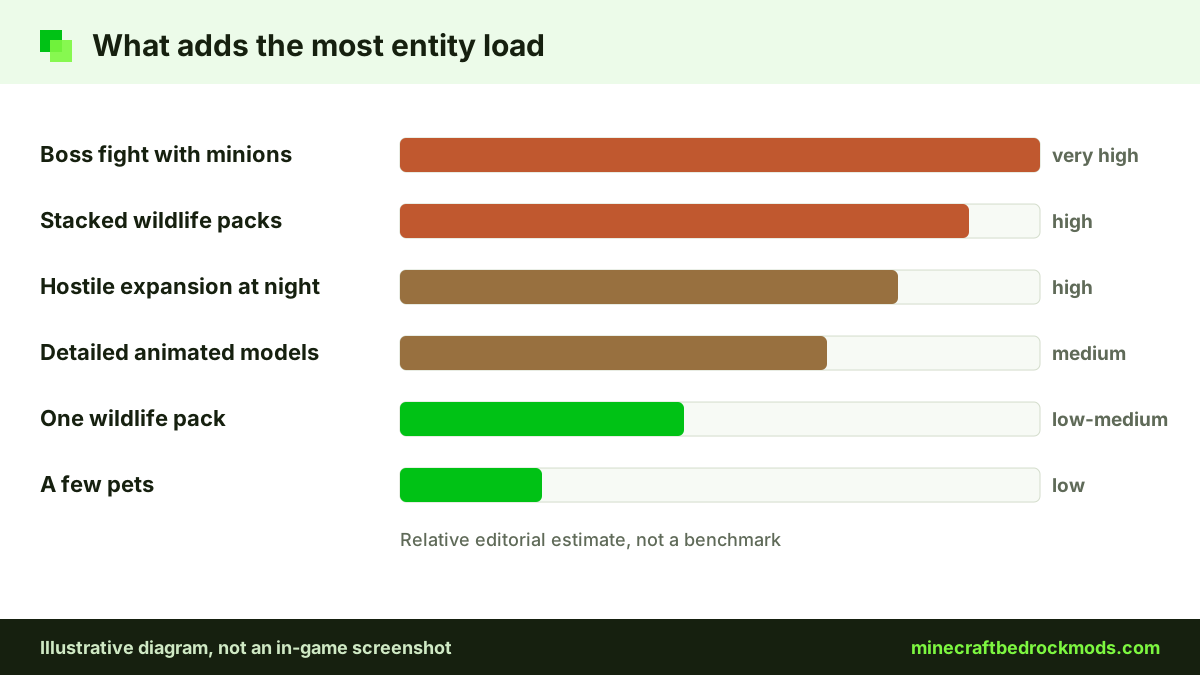
Every active creature costs processing time. A Windows PC hides a few extra animals; a mid-range phone with a forest full of new wildlife on top of vanilla mobs can stutter quickly. High-detail models, many animated parts and complex AI cost the most.
- Lower simulation distance so fewer mobs stay active.
- Run one or two creature packs at a time, not five.
- Prefer vanilla-style models on older devices.
- Test in a fresh world for ten minutes before moving a pack into your main save.
- Clear old pack versions from storage so you never activate duplicates.
Our performance guide for low-end devices has more settings tips.
Override Conflicts Between Mob Packs
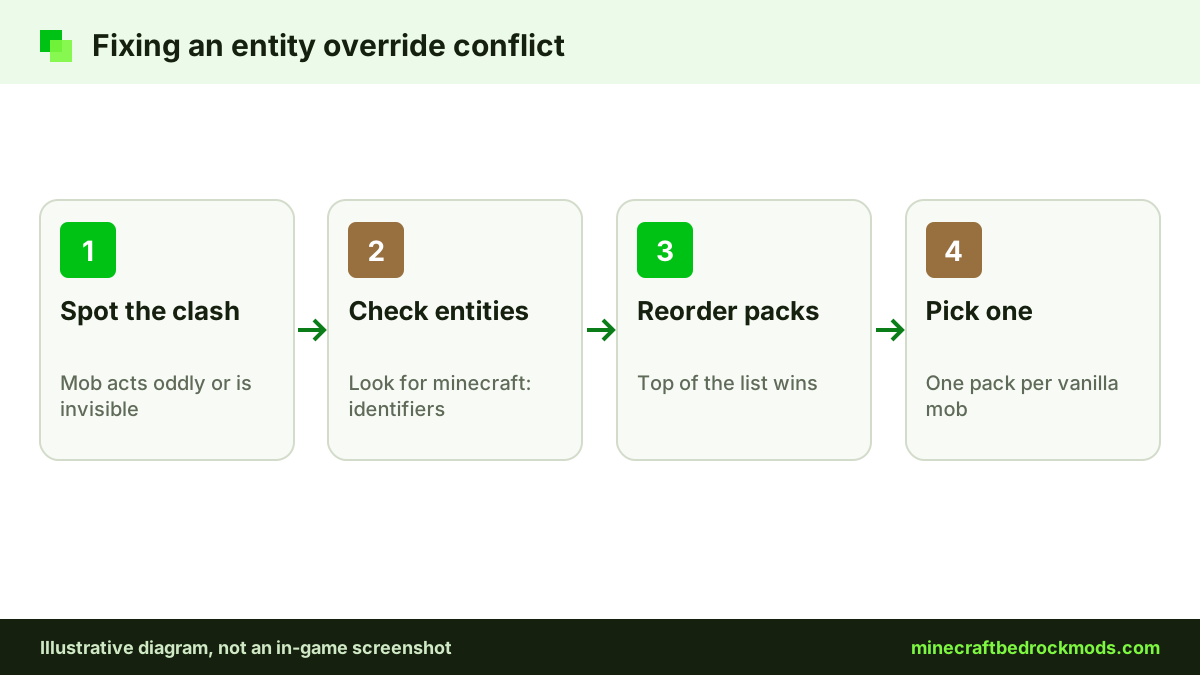
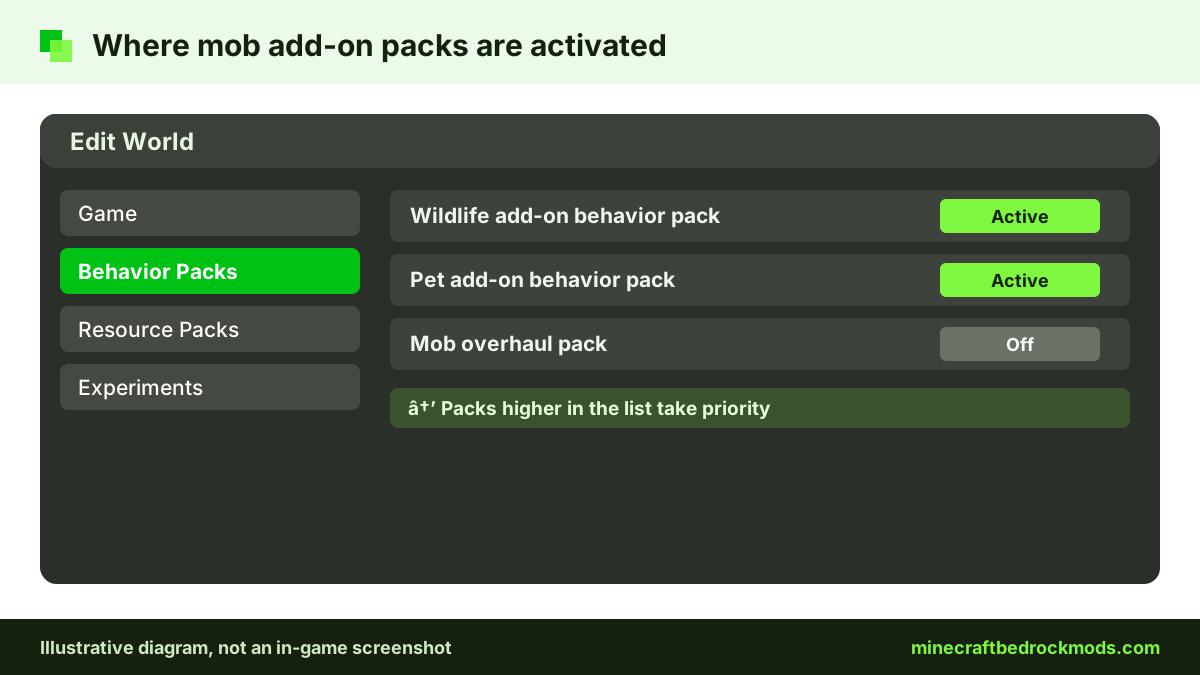
When two behavior packs define the same entity identifier, the game uses the one higher in your active list and ignores the other. If one pack reworks the vanilla wolf and another adds a wolf variant by redefining it, only one change appears. A partial mix can cause invisible mobs, missing textures or creatures that stand still.
To spot an override, read the pack description or look in the behavior pack's entities folder: an identifier starting with minecraft: replaces a vanilla mob. To fix a clash, pick one pack per vanilla mob, reorder the packs, or choose packs that add new entities instead.
Pro tip: Keep a note listing every mob pack you run and which vanilla creatures it changes. When a new pack touches one of those creatures, you will spot the conflict before installing it.
Platform Notes: Android, iOS, Windows and Consoles
Android: open a community .mcaddon from your downloads and Minecraft imports it; Marketplace packs install from the in-game store.
iPhone and iPad: open community files in Minecraft from the Files app. Older devices feel creature-heavy packs first.
Windows 10/11: double-click a file to import, or get Marketplace packs in-game.
Xbox, PlayStation and Switch: consoles cannot import community .mcaddon or .mcpack files. The Marketplace is the route, which is why Naturalist and Spark Pets suit mixed groups. Console players can also join a Realm, server or friend's world that already runs packs. See our console add-ons guide.
The Help Center explains how to activate add-ons in a new or existing world.
Building a Balanced Creature Setup
The most enjoyable mob worlds combine packs from different families rather than stacking several of the same kind. A reasonable survival setup is one wildlife pack for ambient life, one pet pack that does not touch the same creatures, and optionally a boss pack for late-game goals. Keep behavior overhauls in a separate test world until you know they do not override mobs your other packs already change. Add one pack at a time, play a session, then add the next, so any conflict is easy to trace.
Achievements and Mob Add-ons
Older advice said any behavior pack disables achievements. Minecraft.net now confirms that achievements work with add-ons released through the Marketplace, on all platforms, so Naturalist and Spark Pets keep achievements available. Community packs from other sites do not qualify, achievements are not awarded retroactively, and cheats still disable them. Read our achievements guide for the details.
Version Note for Bedrock 26.60
This guide was written for Minecraft Bedrock 26.60, the latest stable release when we checked on November 5, 2026. Creature packs depend on entity and script features that change between updates, so copy your world before updating the game or a pack.
Troubleshooting Mob Add-ons
- Invisible or purple-and-black mobs: the resource pack is inactive or does not match the behavior pack.
- New animals never spawn: check that you are in the biome the pack targets and that another pack is not overriding it.
- A vanilla mob behaves oddly: two packs override the same entity; reorder or remove one.
- Creatures vanished after removing a pack: entities and drops from that pack can disappear, so restore your backup.
- Lag in one area: too many mobs nearby; lower simulation distance or reduce spawning.
- Marketplace pack missing in a world: sign in with the account that owns it, then look under the world's Behavior Packs list and activate it there.
Safety Before Any Mob Download
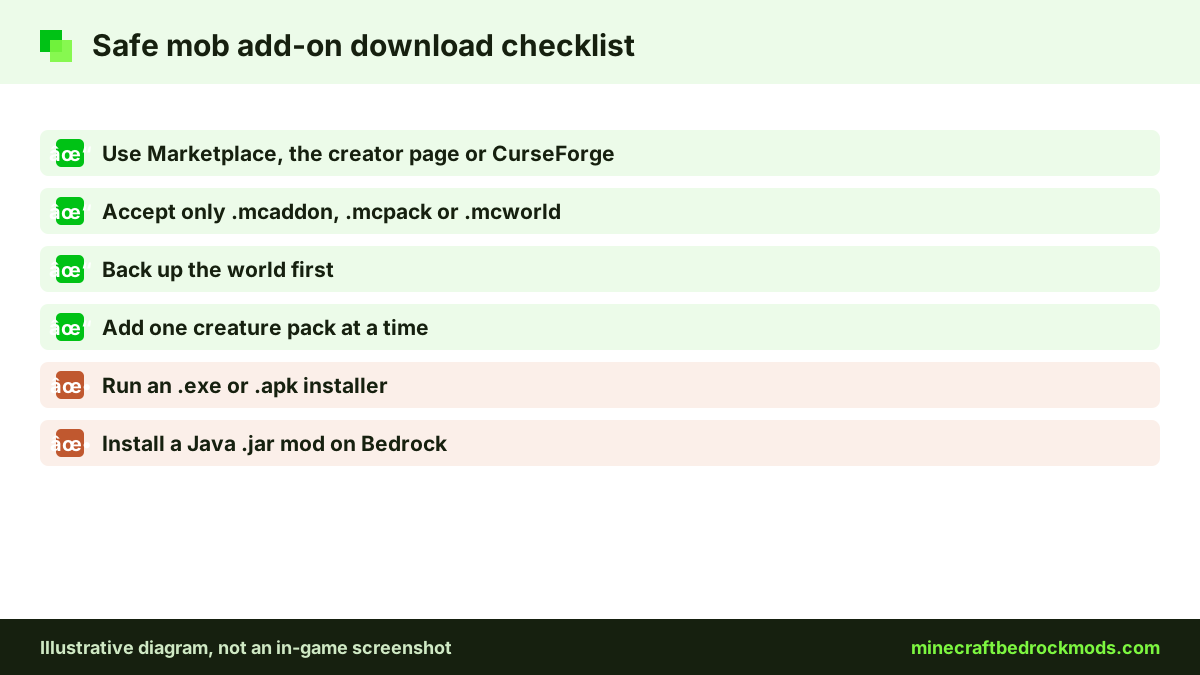
Creature packs are heavily re-uploaded, so source matters. Use the Marketplace, the creator's page or a reputable host such as CurseForge. Real add-ons are .mcaddon, .mcpack or .mcworld files; never run an .exe or .apk that claims to install a mob pack, and Java .jar mods will not run on Bedrock. Our safety and scams guide has family tips.
Frequently Asked Questions
It is the official Bedrock edition of the Naturalist Java mod by Starfish Studios, sold on the Minecraft Marketplace for Minecoins. Its listing describes 200+ animals and babies across every biome, and it works on all Bedrock platforms, consoles included.
Yes. Spark Pets Add-On (Lite) by Spark Universe is free on the Marketplace and adds 10 pets with colors, outfits, treats and tricks. It is a light pack that suits younger players.
Marketplace add-ons such as Naturalist and Spark Pets allow achievements on all platforms, according to Minecraft.net. Community mob packs from other sites do not qualify, and cheats still disable achievements.
They probably override the same vanilla entity. When two behavior packs define the same identifier, the game uses the one higher in your active list. Pick one pack for that mob, reorder them, or use packs that add new entities instead.
They can, especially packs with detailed models or high spawn rates. Each active creature costs processing time. Lower simulation distance, run one or two creature packs at a time and test in a fresh world first.
Creatures from the pack can disappear or fail to load, and their drops may break. Back up the world before removing a mob pack, and test the removal on a copy first.
Conclusion
Mob and wildlife add-ons make a world feel alive again. Naturalist brings a large Marketplace wildlife roster to every platform, Spark Pets (Lite) is a free, light option for families, and both keep achievements available because they come from the Marketplace.
Whatever you add, keep spawns modest, run one or two creature packs at a time, watch for vanilla overrides and back up the world before every change. That rhythm keeps conflicts easy to trace and your devices running smoothly.